AP25 Installation and Operating Guide Page 74
AP25 Installation & Operating Guide Document # 9301H79500 Ver. 1.00
4.3.6.3.2. Nonsync Mic Level and Routing
System > Formats > Format Options > Nonsync Level and Routing > Mic
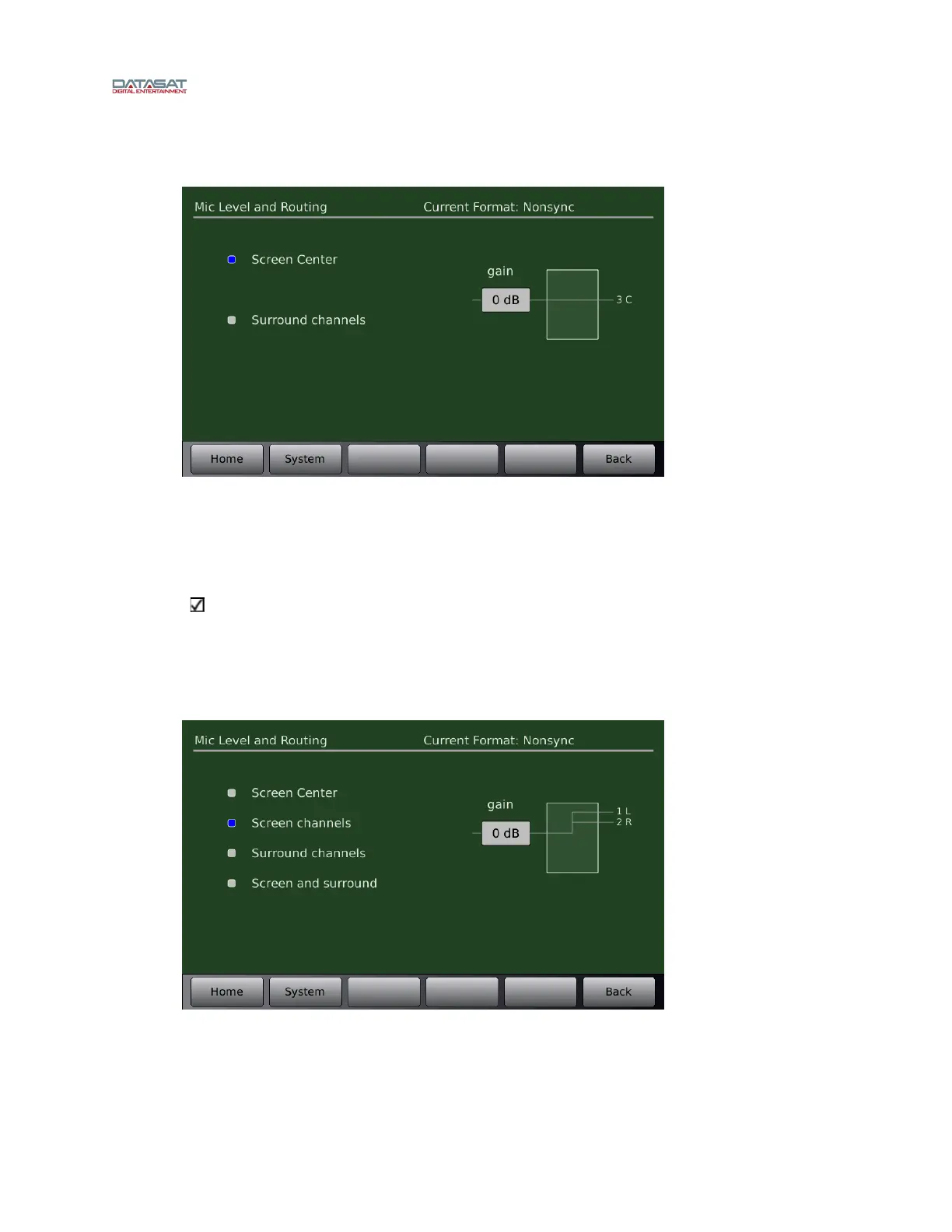
Figure 50. Mic Level with Nonsync
If Enable Mic is selected in the Nonsync level and routing screen, you can adjust mic level
and routing by going to Mic Level and Routing screen. The Mic may be routed either to the
Center channel, or Left and Right Surrounds. Gain may be increased up to 66 dB in 3 dB
increments after an initial 9 dB increase from 0 dB.
Note this is used with the Nonsync format and Microphone option, if using just the
Microphone format see section 4.3.6.4
4.3.6.4 Mic Level and Routing
This screen is available for Mic Pre input
source only.
Menu (System) > Formats > Format Options > Mic Level and Routing
Figure 51. Mic Level & Routing
Adjust the Mic gain by selecting the box under gain and turning the fader knob.



 To Next Page