AP25 Installation and Operating Guide Page 81
AP25 Installation & Operating Guide Document # 9301H79500 Ver. 1.00
Third Octave EQ
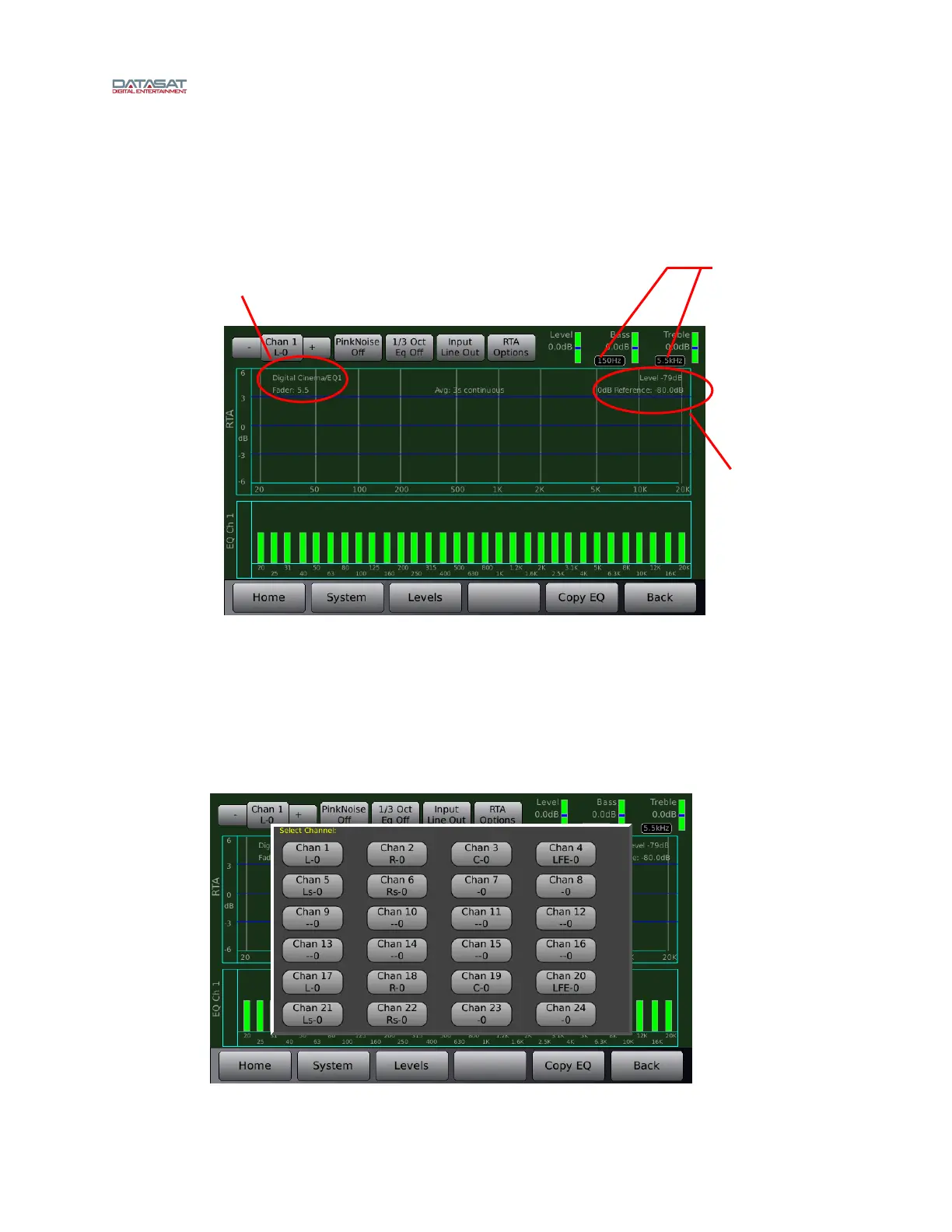
Selecting the Third Octave EQ button from the EQ Setup screen will bring up a screen similar
to that shown below. See the topic A note about Third Octave EQ i
n section 2.10 for a usage
example.
Menu (System) > Formats > Audio EQ Setup > Third Octave EQ
Figure 57. 1/3 Octave EQ Screen
In the upper left-hand portion of the RTA section, the current Format and current master fader
value are shown. In the upper right-hand portion, the current audio level and the 0 dB reference
are displayed.
Channel Number Selection – Touch the Chan button to bring up a display of all available
channels. Select the channel you would like to equalize. You may also select the next
channel by touching the “+” sign button to the right of the Chan button, or select the
previous channel by touching the “-“ sign button left of the Chan button.
Figure 58. Channel Number Selection Screen
Current format
and EQ
Current audio
level and 0dB
reference
Corner Frequency
Adjust



 To Next Page