19
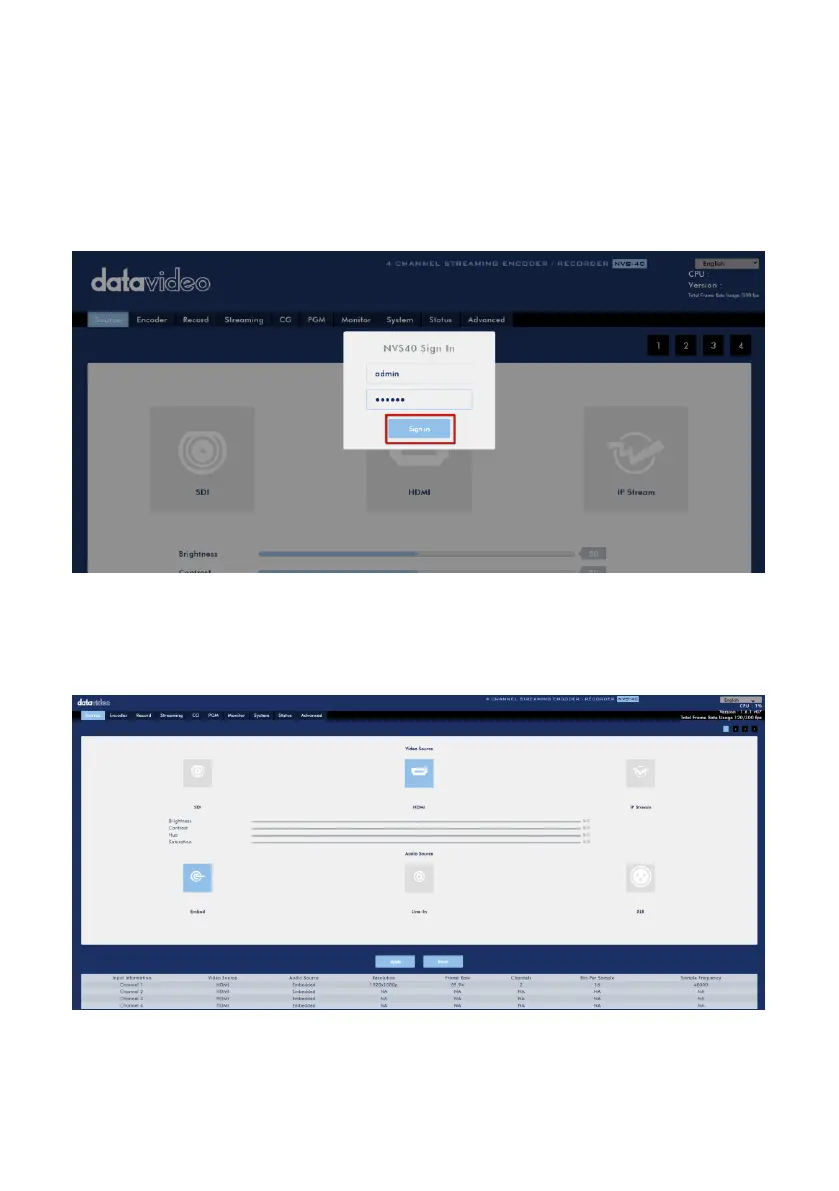
Step. 12. After connecting to the NVS-40 Web UI, there is a login interface that will be
shown as following diagram for users to enter the default “Account” and “Password”
when logging in NVS-40 Web UI for the first time. After the default Account and
Password are entered, please press the “Sign in” button for entering into the NVS-40
Web UI. The default Account and Password are shown as following.
Account: admin
Password: 000000
Step 13. The NVS-40 Web Control UI will be shown and then it is ready for you to
control and set the NVS-40 through the Web Control UI.



 To Next Page