74
5.9.1 How to Set the Time Automatically and Manually
Please follow following steps for setting the system time of the NVS-40 automatically
or manually.
Automatically from the Internet
This option allows users to synchronize the system time to the NTP server
automatically. Please follow following steps for setting the system time
automatically.
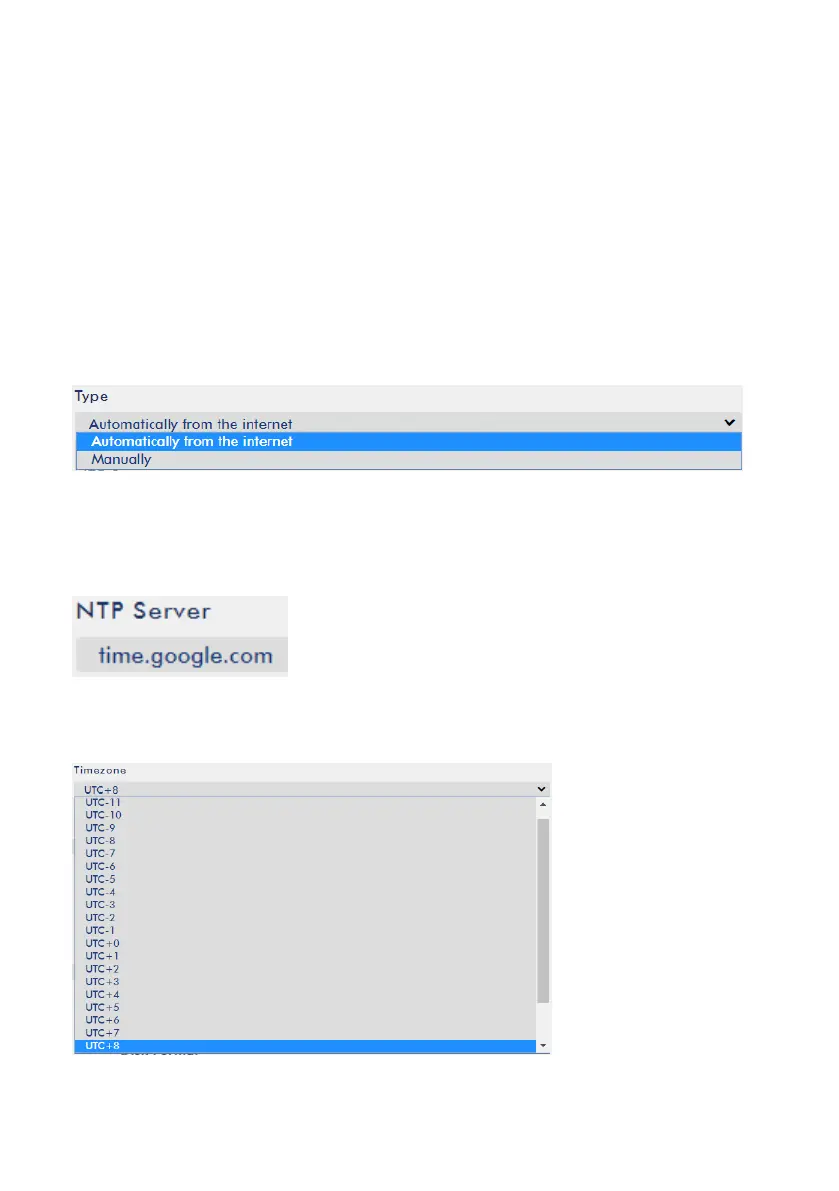
1. Please select the “Automatically from the Internet” option from the “Type” drop-
down menu.
2. Please enter your desired NTP server in the “NTP Server” column. The following
diagram takes Google public NTP server as an example.
3. Please select your Timezone from the “Timezone” drop-down menu.



 To Next Page