35
For the introduction for each drop-down menu of the Record page, please see
following table.
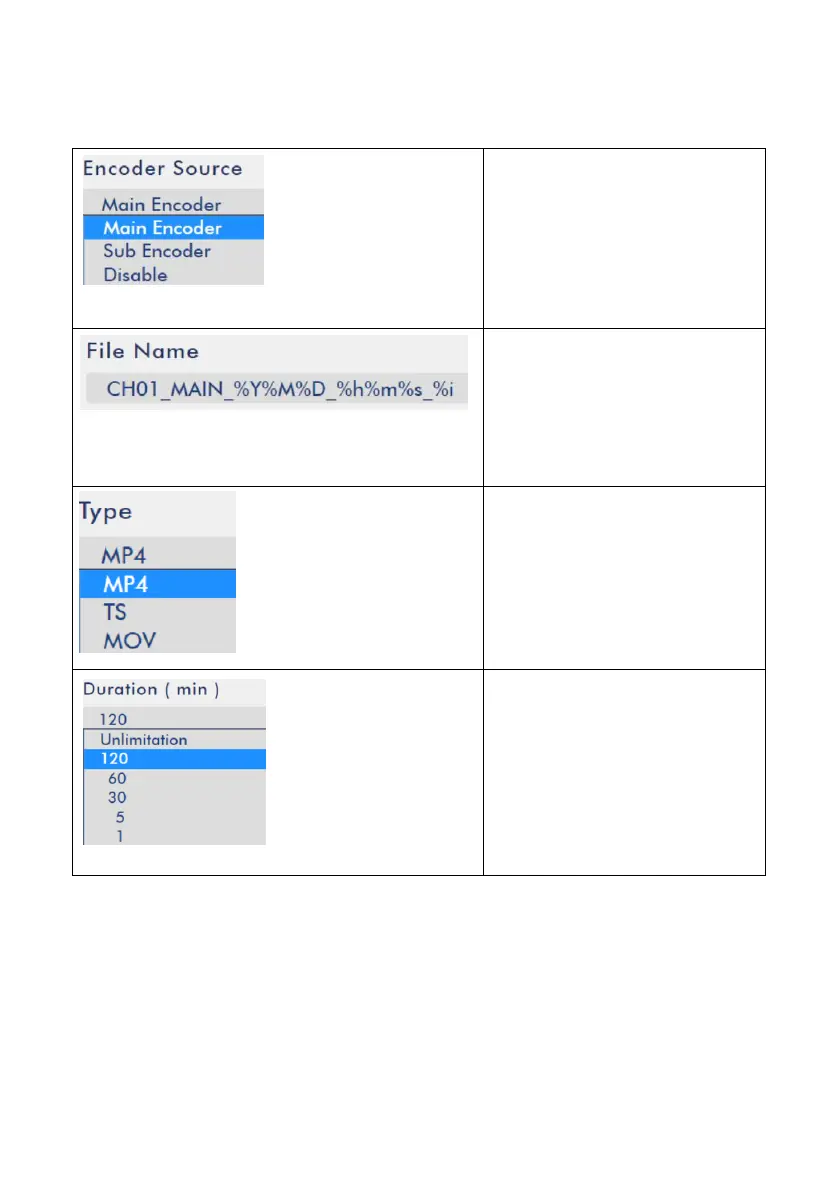
Encoder Source
Users can select Main Encoder,
Sub Encoder or Disable from
the Encoder Source drop-down
menu.
File Name
Users can enter their desired
File Name into the blank.
File Type
Users can save the recorded file
in different file formats
including MP4, TS and MOV by
this drop-down menu.
Duration (min.)
Users can determine the
duration of each recorded file
including 1 min., 5 min., 30
min., 60 min., 120 min., and
Unlimitation by this drop-down
menu.
5.5 Streaming
After pressing the Streaming option from the menu bar of the NVS-40 Web UI, users
can see the Streaming control page. There are five tags including tag 1, tag 2, tag 3,
tag4 and PGM. Each tag includes two Streaming settings including Main Streaming
and Sub Streaming. So, it means that users can stream up to 10 video sources with
different codings and video formats. After the streaming setting is completed, users



 To Next Page