82
5.12 The Reason Why Users Can not See the Latest Web UI and the
Solutions for this Issue
Generally speaking, the reason why users can not see the latest status of the NVS-40
web UI is due to the issue of the internet browser cache. Web browsers usually
provide cache for accelerating the web-browsing speed. So, the content that is
shown in your web browser will show you the latest information in the cache of your
web browser. For the Microsoft IE browser, please press the “Refresh” button to
update the information of your web browser. For the Google Chrome browser,
please press “Reload this page” button to update the information of your browser.
After that, the latest web page will be shown. If the latest web page can not be
shown, please clear the cache and update the setting of your web browser according
to following steps. There are four ways for solving this issue.
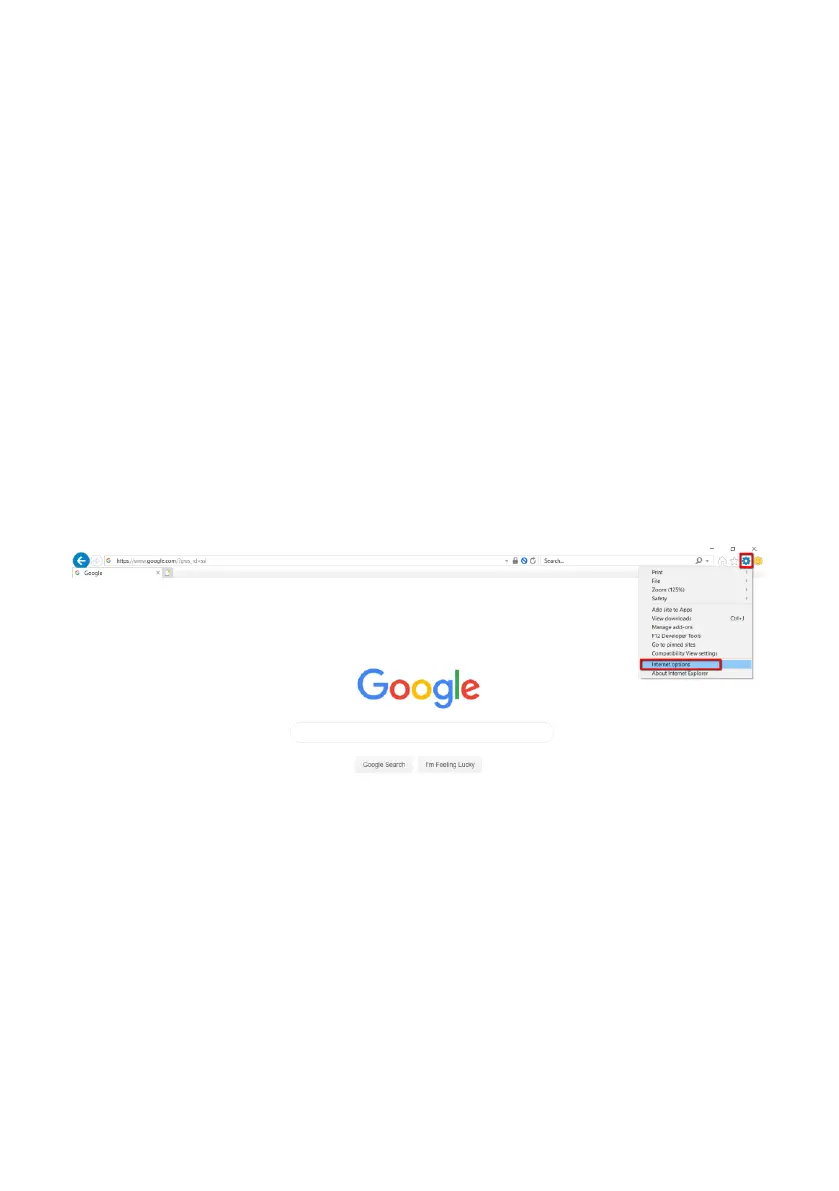
How to clear the cache for the IE web browser
Step 1. Please open the IE web browser, press the “Tools” button and then press the
“Internet Options”.



 To Next Page