46
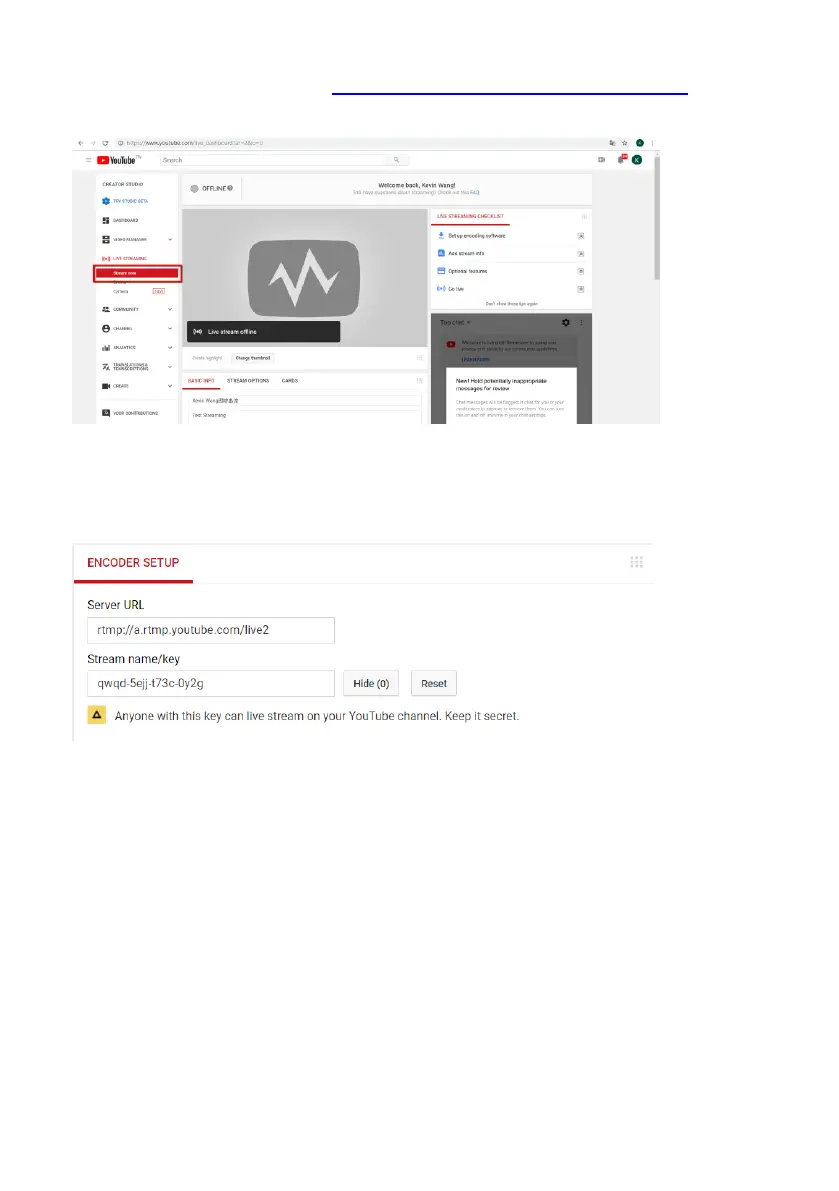
4. Please go to Youtube websitehttps://www.youtube.com/live_dashboard and then
please click the “Stream Now” option from the left column.
5. The Server URL and Stream Name/Key will be shown on the bottom of the
Youtube page.
6. Please open Datavideo IP Finder software and then please press the Scan button
to find the IP address of the NVS-40. (Please refer to Chapter 4. Quick Start Guide-
Connection and Setting)
7. Please enter NVS-40’s IP address into the address bar of the web browser to open
the web control interface of the NVS-40.
8. Please click the Streaming option from the web control interface to open the
streaming control interface.
9. Please select your desired Encoder Source from the Encoder Source drop-down
menu and then please select RTMP from the Stream Type drop-down menu.



 To Next Page