85
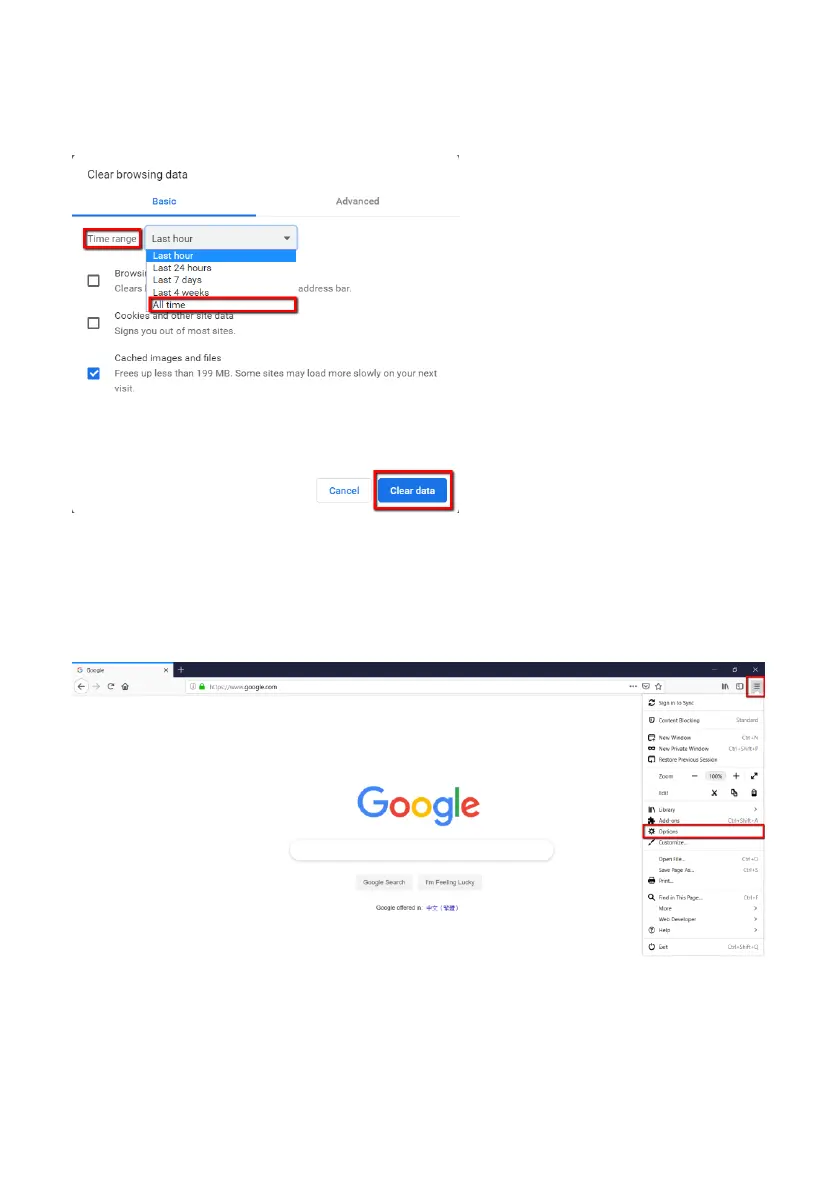
Step 3. Please press “All Time” from the “Time Range” drop-down menu and then
please check the checkbox of “Cached images and files”. Finally, please press the
“Clear data” button.
How to Clear the Cache for the FireFox Browser
Step 1. Please open the FireFox browser and then please press “Options” from the
“Open menu” drop-down menu.



 To Next Page