2: Installation
PRC1099A-MSOP 2-13
PRC-BC4
Multiple
Battery
Charger
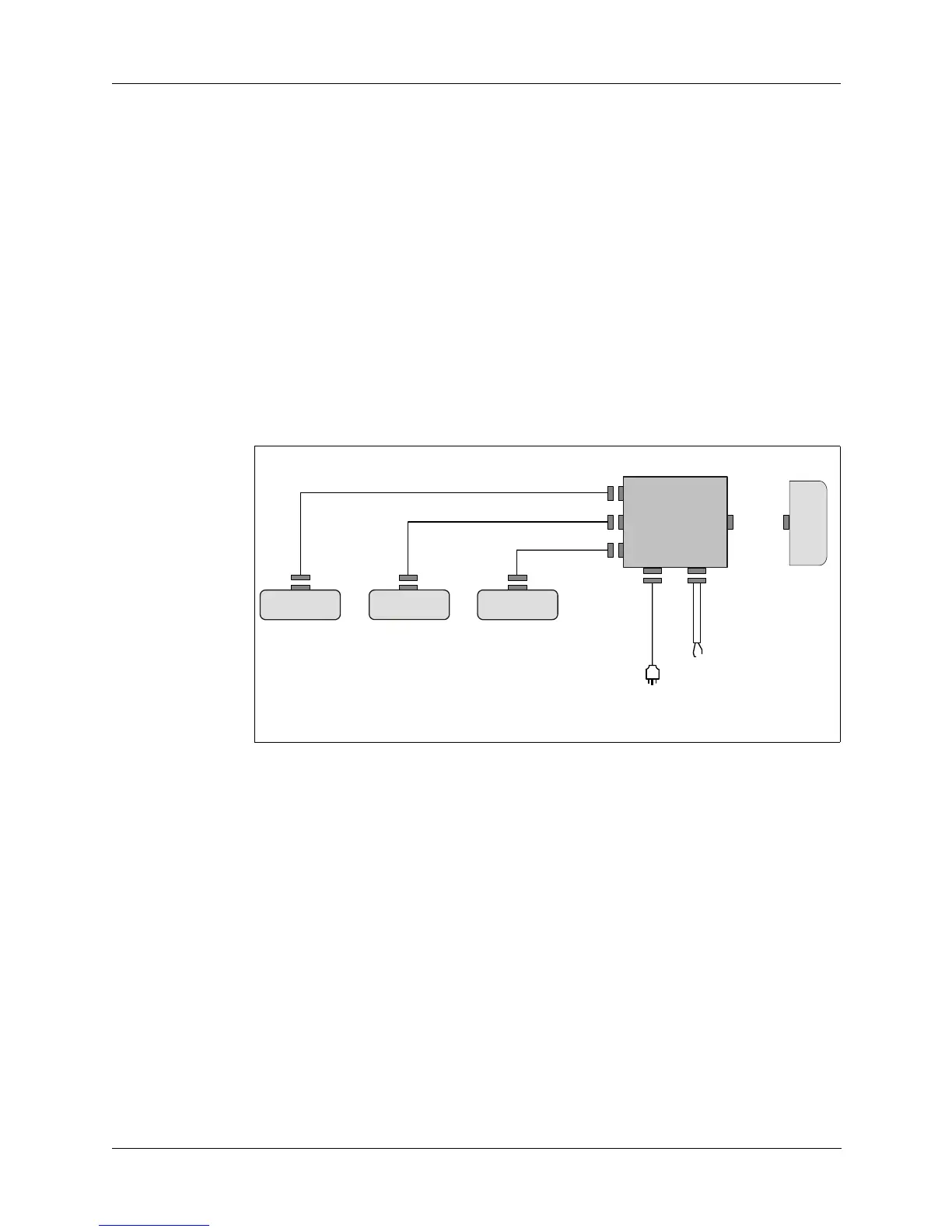
The PRC-BC4 charges up to four sealed lead-calcium battery packs at the same
time:
1. Attach the PRC-BC4 to one of two power sources.
• 115/230 VAC, or
• 24 Vdc
2. Attach the PRC-BC4 to the battery packs to be charged (Figure 2-8).
3. Turn the battery charger on and note the following indicators:
• The FAULT indicator light turns on if the battery is not connected
properly or is shorted.
• The CHARGING indicator light turns on during a normal charge cycle.
• The READY indicator light turns on when the battery is fully charged.
Figure 2-8. Charging Multiple Batteries using PRC-BC4
C991610
C991610
C991610
BB-LA6
C991609
To
24 Vdc
Source
To
115/230 VAC
r
PRC-BC4
AC
INPUT
DC
INPUT
BB-LA6
BB-LA6
BB-LA6



 To Next Page