2: Installation
PRC1099A-MSOP 2-15
PRC-SPU-10
Solar Power
Generator
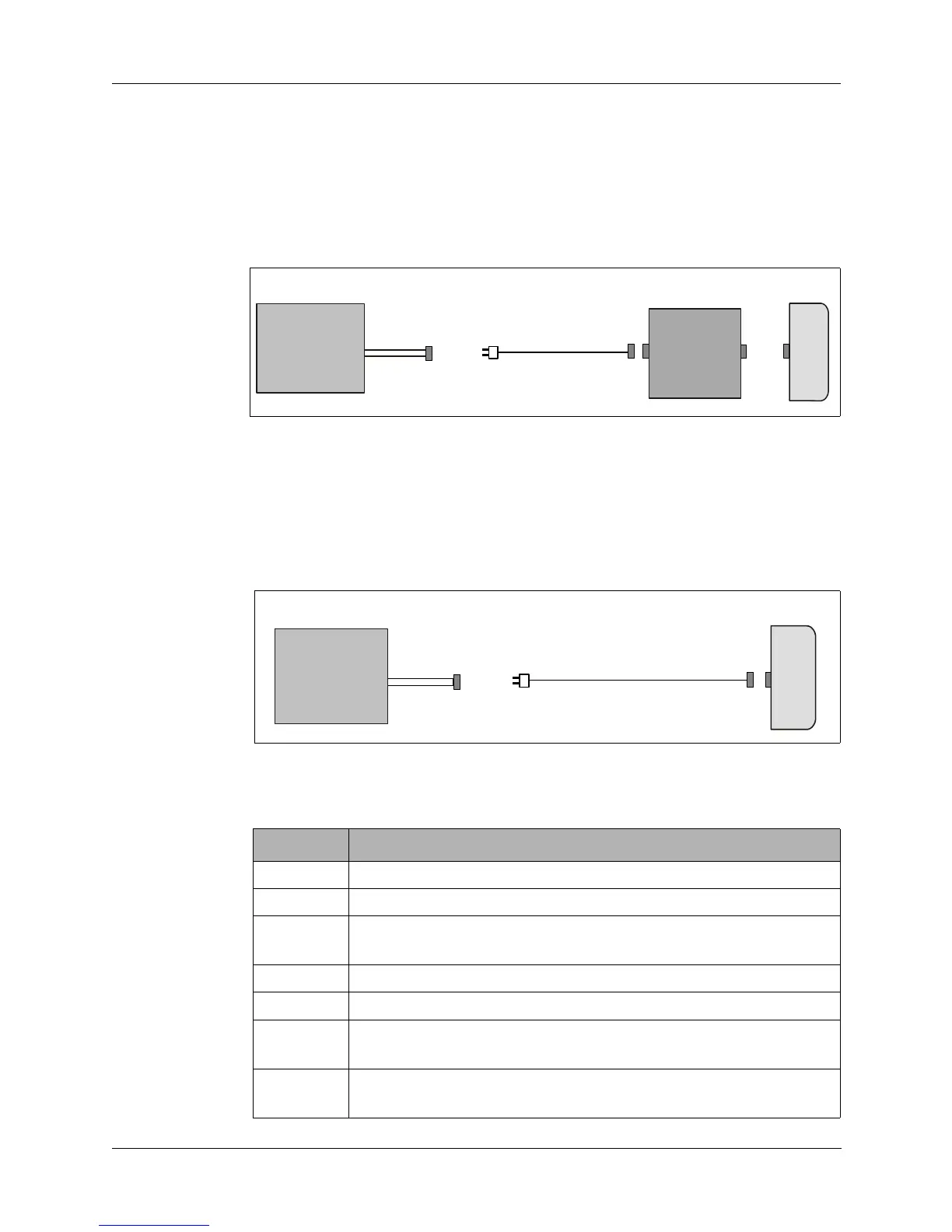
Charging a battery using the PRC-SPU-10 solar power generator is illustrated
in Figure 2-11.
1. Unfold the PRC-SPU-10 and orient it for maximum exposure to the sun.
2. Attach the battery to the PRC1099A.
3. Attach the PRC-SPU-10 to the PRC1099A.
Charging a battery directly from the PRC-SPU-10 is illustrated in Figure 2-12.
1. Unfold the generator and orient it for maximum exposure to the sun.
2. Attach the battery to be charged to the PRC-SPU-10.
Figure 2-11. Charging a Battery Using PRC-SPU-10 and PRC1099A
Figure 2-12. Charging a Battery Directly from PRC-SPU-10
Table 2-1. Battery Charger Cables
Cable Description
C991608 PRC-PS power supply/battery charger to PRC1099A radio
C991609 External 24 Vdc source to PRC-PS/PRC-BC4 battery chargers
C991610 PRC-BC4 multiple battery charger to BB-LA6 lead calcium
battery
C991611 PRC-HC-30 hand crank generator to PRC1099A radio
C991613 PRC-SPU-10 solar power generator to PRC1099A radio
C991617 PRC-SPU-10 solar power generator to BB-LA6 lead calcium
battery
C991618 PRC-HC-30 hand crank generator to BB-LA6 lead calcium
battery
PRC1099A
BB-LA6
PR
-
PU-10
C991613
BB-LA6
PR
-
PU-10
C991617



 To Next Page