4: Radio Programming
4-6 PRC1099A-MSOP
Standard Data Menu
The DATA menu allows you to configure the radio to be compatible with the
data used to fill the radio.
Accessing
the Menu
1. Toggle the DIGIT knob until the DATA icon flashes.
2. Toggle the TUNE knob to access the data menu. The first selection in the
menu is SRC SEL.
3. Toggle and hold the TUNE knob to scroll through the other menu selec-
tions. When the selection you want is displayed, press WHIP TUNE to
access it.
4. Follow the Menu Structure and Menu Selections sections below to assist
in programming the radio.
Menu
Structure
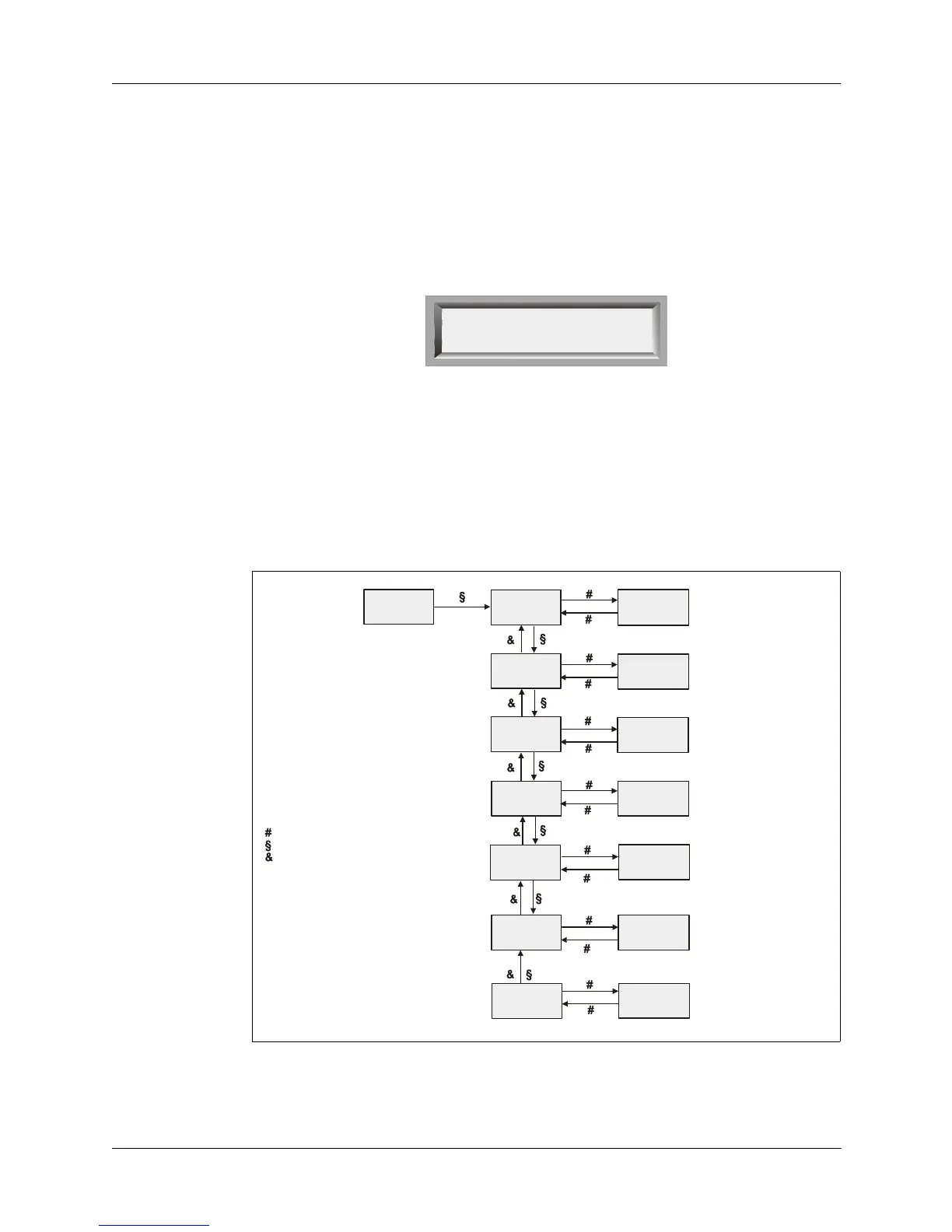
The diagram below shows the structure of the DATA menu and the legend
indicates how to work within the selections and their settings.
SRC
SEL
OPT
SCAN
CALL
DATA
MSG ALE
XXX = KEY or RMT
Change with Tune knob
Save with Whip Tune button
DATA
SRC SEL
SRC XXX
BAUD : XXXX
DAT BITX
STP BIT : X
PARITY : X
FLOW: XXX
RA : XX
BAUD RAT
DATA BIT
STOP BIT
PARITY
FLOW CTL
RAD ADDR
XXXX = 0075 to 9600
Change with Tune knob
Save with Whip Tune button
X = 1 or 2
Change with Tune knob
Save with Whip Tune button
X = E, O or N
Change with Tune knob
Save with Whip Tune button
XXX = On or off
Change with Tune knob
Save with Whip Tune button
XX = 00 to 99
Change with Tune knob
Save with Whi
Tune button
X = 7 or 8
Change with Tune knob
Save with Whip Tune button
- Legend -
Indicates Whip tune button pressed
Indicates Tune knob moved up
Indicates Tune knob moved down
To exit any menu, use Digit knob



 To Next Page