2: Installation
2-6 PRC1099A-MSOP
Mobile Installations
Each configuration in this section is designed so that the core radio can be
quickly removed (jerk-and-run) for emergency use of the PRC1099A as a
manpack.
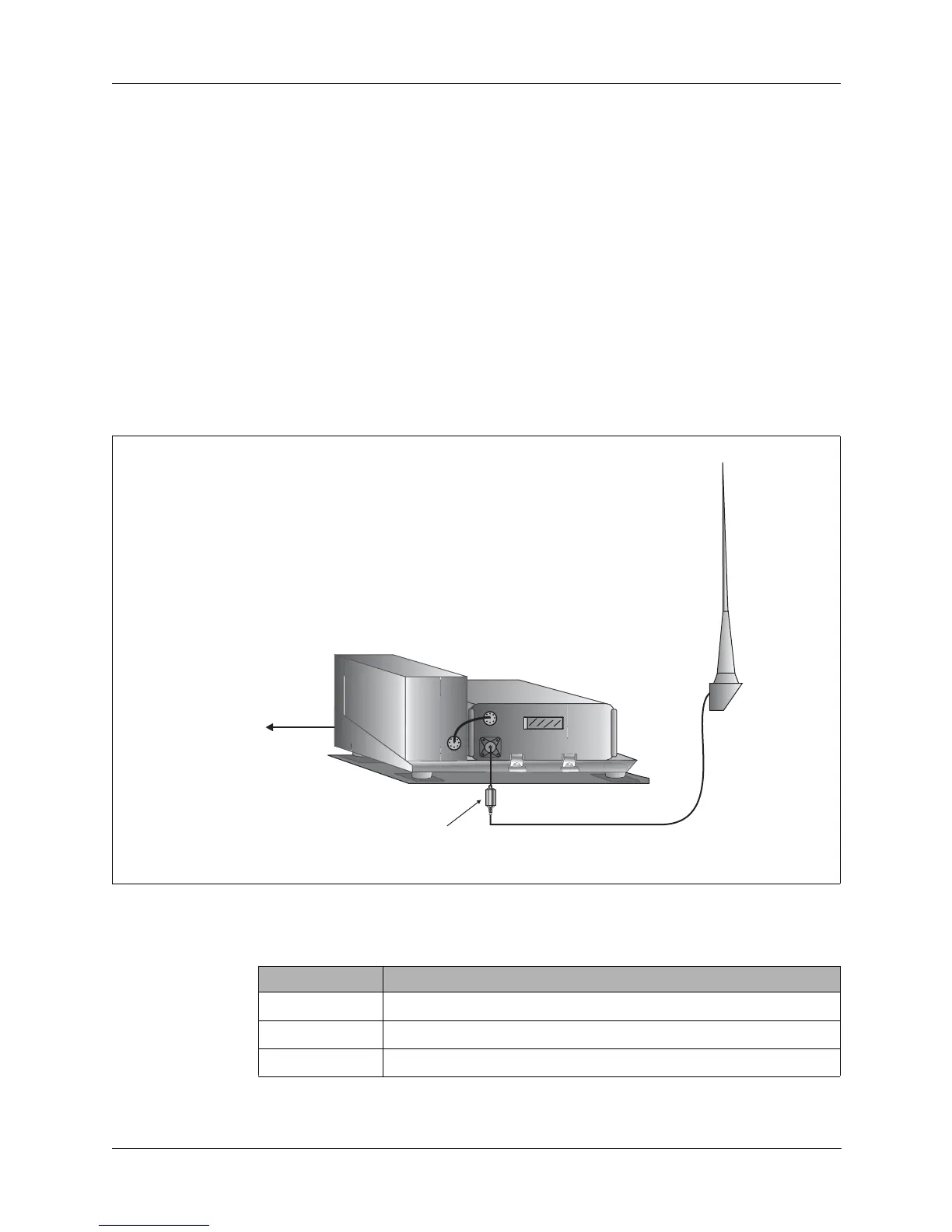
20W System The PRC1099A can be used in a 20W mobile configuration as shown below.
12V vehicle installations must use the MT-1099A-12 mount, and 24V vehicle
installations must use the MT-1099A-24 mount. Everything else, including
cabling, is the same.
1. Attach the battery box to the radio.
2. Slide the PRC1099A into the MT-1099A mount and clamp it in place.
3. Connect the cables as indicated.
Figure 2-3. Mobile 20W System
AAW
Whip
Adapter
DC Power
Source
RA-MAS
Whip Antenna
PRC1099A
MT-1099A
C991580
For 12V vehicles, use MT-1099A-12
For 24V vehicles, use MT-1099A-24
Note:
ACC
ANT
C991949
C992102
XCVR
J5
Cable Description
C991580 External DC power to MT-1099A, power cable
C991949 MT-1099A to PRC1099A, control cable
C992102 PRC1099A to RA-MAS, RF cable



 To Next Page