PRC1099A-MSOP 3-1
CHAPTER 3
OPERATION
Quick Start
1. Install a fully charged battery. Refer to "Installing the Battery" on page 2-2
for details and cautionary notes.
2. Install the whip antenna in the Antenna Mount or attach a 50 ohm antenna
feedline into the BNC Antenna connector.
3. Attach the handset to either Audio connector.
4. Turn the Power knob to the power level desired:
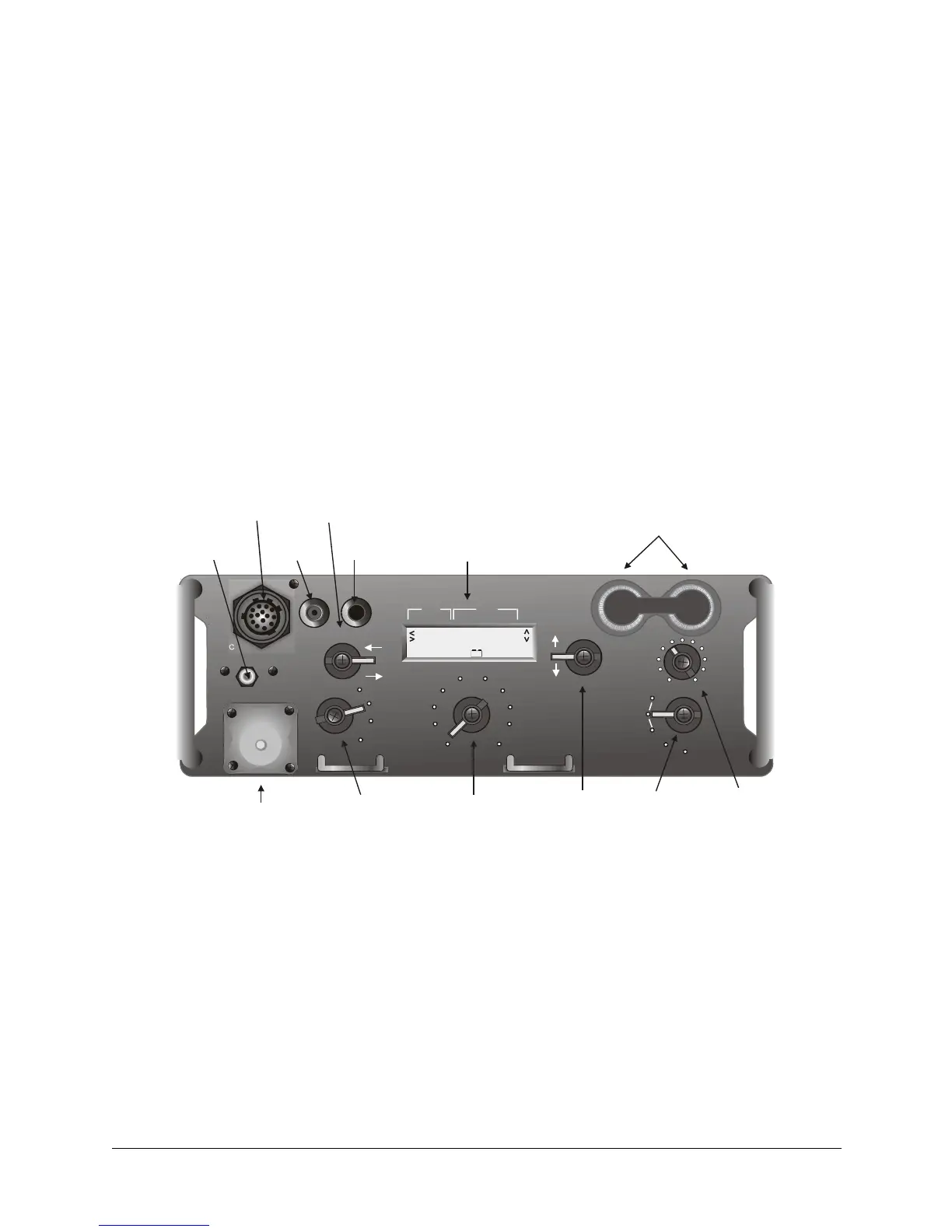
Figure 3-1. Front Panel Layout
CHANNEL
1
2
3
4
5
6
7
8
9
MAN
0
10
VOLUME
LITE
USB
SQUELCH
TUNE
LSB
OPT
EXT AMP
HI
LO
OFF
ANT
WHIP
TUNE
ANT
ACC
STORE
DIGIT
MHz
KHz
Grounding
Term i nal
ccessory
Digit
Whip
Tune
BNC
Antenna
Antenna Mount
Power
Channel
Tune Mode Volume
Audio
Display
(Channel, Frequency,
Menus)
30.000000
OPT
SCAN
DATA
MSG
ALE
CALL
- +
LO Transceiver on, low power, 5W.
HI Transceiver on, high power, 20W. Gives maximum range.
If Low Battery icon displays, replace the battery.
EXT AMP Enables external amplifier keyline when connected.



 To Next Page