3: Operation
PRC1099A-MSOP 3-3
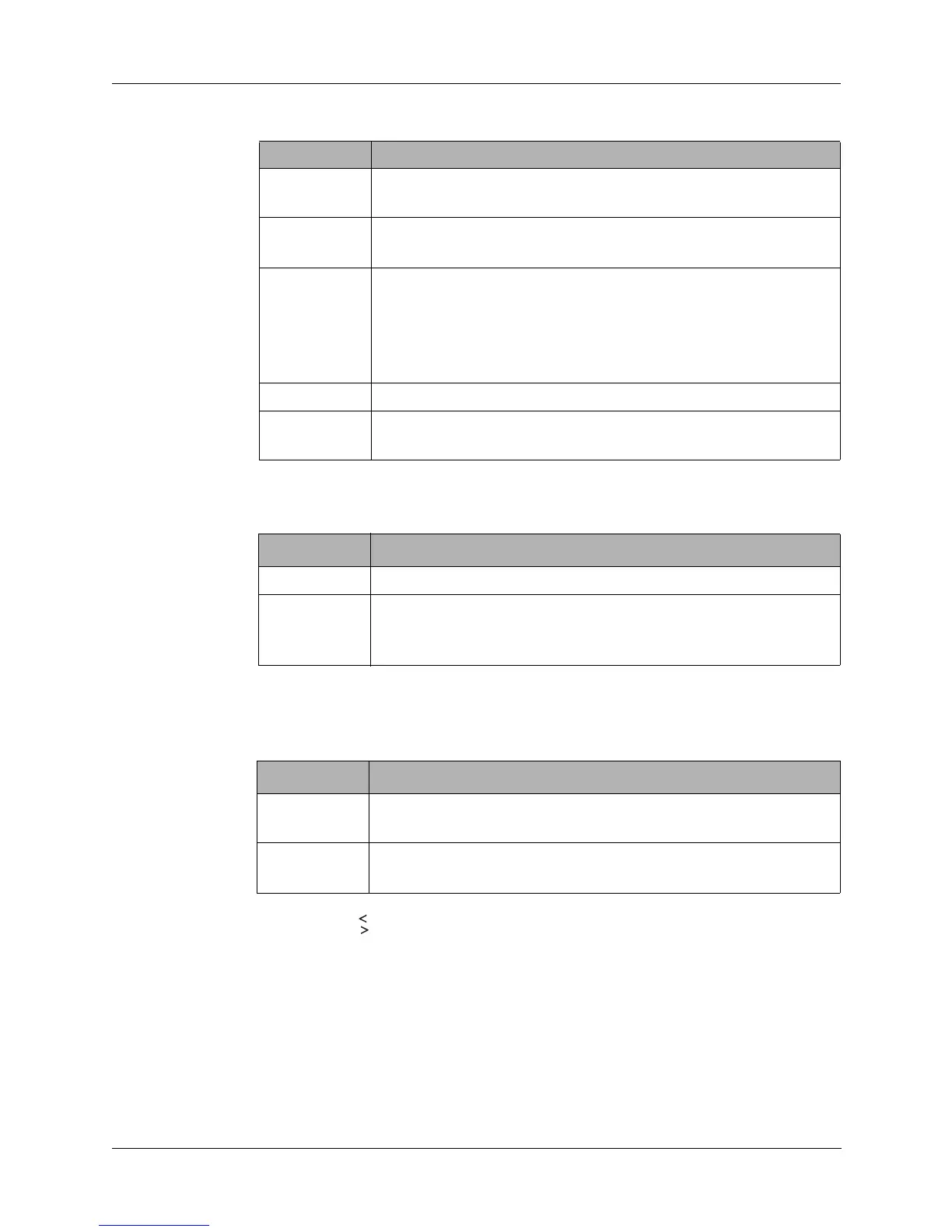
Mode Knob The Mode knob selects an operational mode and has the following positions.
Channel Knob Frequencies are programmed into each channel position. The positions are as
follows.
Digit Knob The Digit knob acts as a pointer within the display area for accessing menus
and moving through alphanumeric digits. It is also used to exit menus. Toggle
the knob up or down to move within the display area as follows.
Look for the arrow symbols in the display area while accessing menus.
They indicate that the Digit knob can be used to move to additional selections
or settings in a menu.
Position Description
USB Transceiver operates on normal (upper) sideband, no
squelch
SQUELCH Receiver squelched, no background noise, opens when
signal received. USB operation
LSB Transceiver operates on opposite (lower) sideband.
Sidebands are inverted in the transmit and receive modes.
Switching to LSB (at both transceivers) can avoid
interference. Always revert to USB after using LSB; wanted
calls cannot be received while operating in the LSB mode.
LITE Backlights frequency display. USB operation.
OPT Normally data mode. AME option: Transceiver operates in
compatible AM (AME) mode, no squelch.
Position Description
MAN Selects manual tune position.
1-9 Selects preset channels and frequencies. Turning to position
9 also activates the scan process when the SCAN setting is
set to ON.
Position Description
←
Toggle up and release to move from right to left one
position. Toggle up and hold to scroll from right to left.
→
Toggle up and release to move from left to right one
position. Toggle up and hold to scroll from left to right.



 To Next Page