AquaLab
10. Duo Operation (Optional)
60
• The test can be saved to the instrument’s memory by pressing
the button under the save icon. An annotation can be added if
desired. If autosave has been selected, the data will already be
saved but without any annotation.
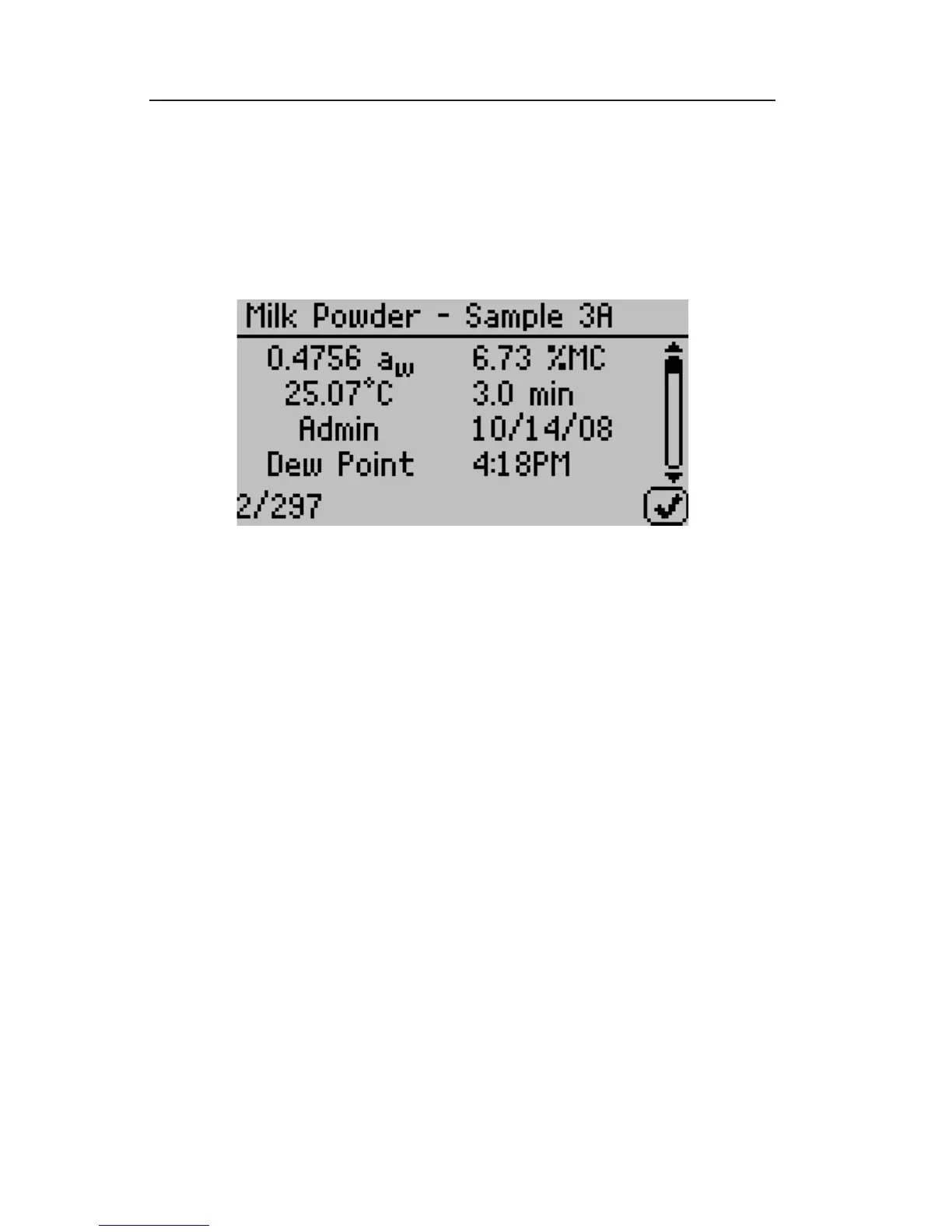
The results can be viewed by moving to the data screen (press the
right most button, which is below the document icon, to toggle
between tabs) as shown in Chapter 5 under the Data Tab section.
The only difference will be that moisture content data will now ap-
pear in the upper right column on the detailed information screen.
Moisture Content Adjustment
AquaLab Duo moisture analyzers calculate moisture content val-
ues based on water activity readings by utilizing models stored
within the instrument. Because moisture content results vary be-
tween reference methods, it is important to ensure that the mod-
el in the instrument correlates well with your reference method
moisture contents (i.e. Karl Fischer titration, oven loss on dry-
ing, etc.). Moisture content di erences among various methods
are usually linear and can be easily corrected with a linear o -
set. erefore, if moisture contents calculated with the AquaLab
Duo instrument are not agreeing with your reference method,
the problem can likely be addressed by adjusting a linear o set.



 To Next Page