G3
™
User’s & Installation Manual
7/October/2020
25
3.2 Front and Rear Antenna
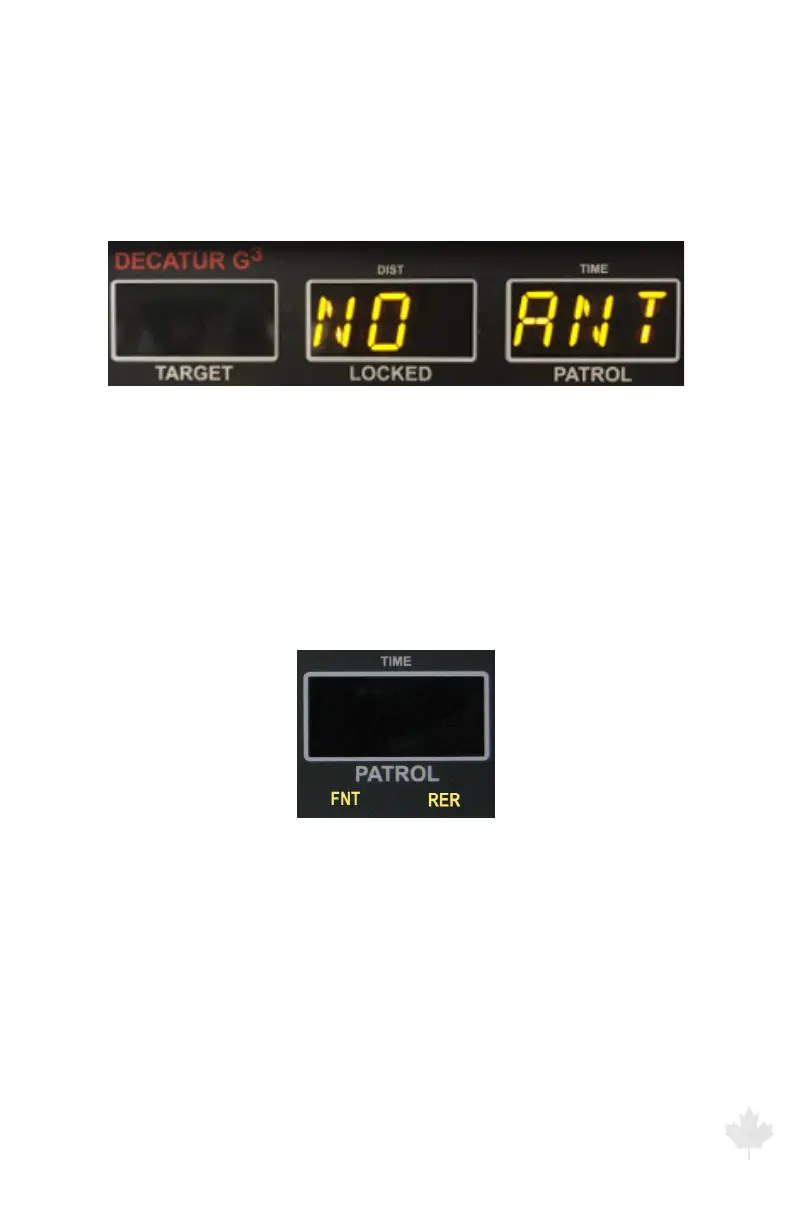
At power up, the G3™ antennas are in standby mode. (Standby mode
is when the antenna is not transmitting.) If no antenna is connected
to the unit, the FRONT and REAR lights cycle on and o and NO ANT
displays in the locked and patrol windows.
Figure 3.2a
If no antenna is connected, NO ANT Displays
The radar unit will not begin transmitting until you press an antenna
button. The antenna buttons, up arrow (FRONT) and down arrow
(REAR), on the IR remote activate and deactivate the antennas.
The FRONT or REAR icons will illuminate when that antenna is
transmitting.
Figure 3.2b
The FRONT or REAR light illuminates when that antenna is transmitting.
To discontinue transmitting (to place the radar back into standby
mode), press the same antenna button.
The G3™ has ve main operating modes: Stationary Both, Stationary
Approach Only, Stationary Recede Only, Moving Mode Opposite
Direction, and Moving Mode Same Direction.



 To Next Page