G3
™
User’s & Installation Manual
7/October/2020
34
3.8 Range Setting
You can adjust the range (sensitivity) of the G3™ in each of the three
operating modes independently:
• MovingOppositeMode
• MovingSameLaneMode
• StationaryModes
The G3™ can track the speed of targets that exceed 914 meters when
the unit is set at maximum range. The range setting is available in
the main menu location. To change the range setting for a mode,
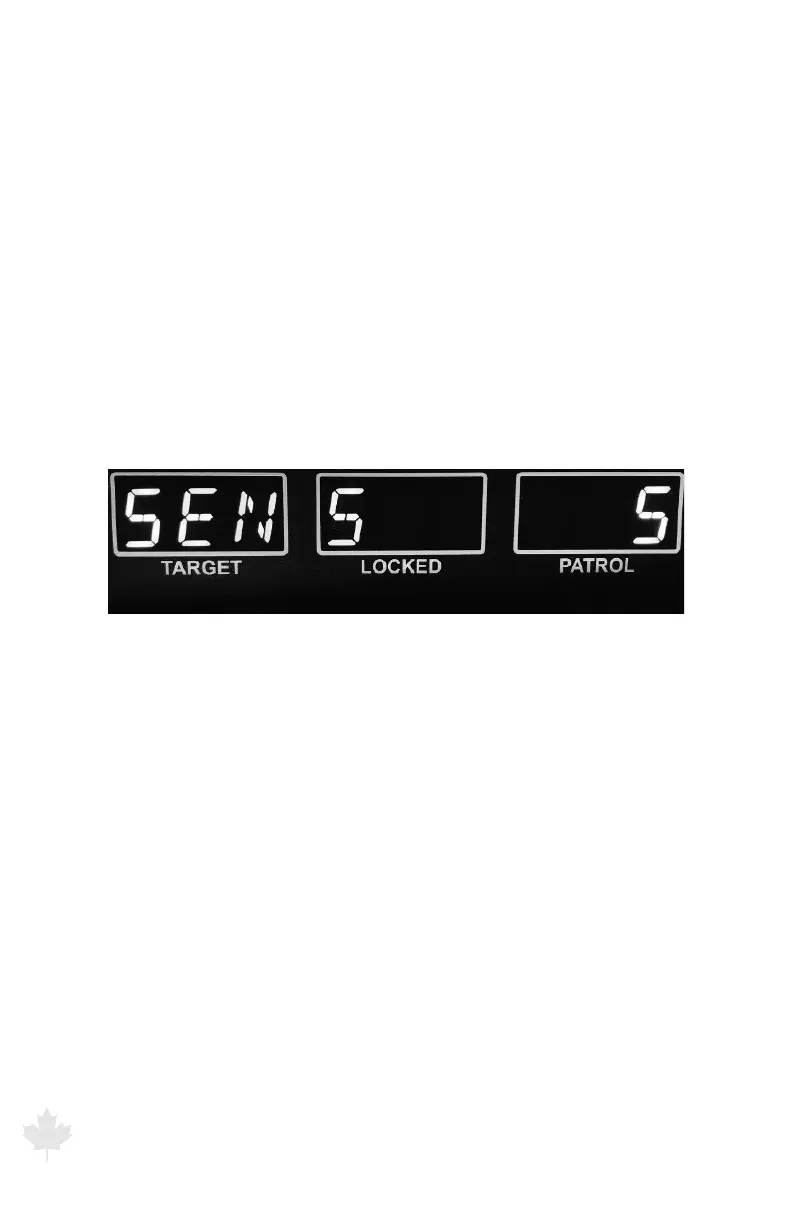
press the MENU button on the IR remote. Radar will display:
Figure 3.8a
The G3™ front display showing range or sensitivity setting.
Press the FRONT antenna (+) or REAR antenna (-) to increase
or decrease the range setting. The range value on the far right
PATROL display will change. The maximum range setting is 5 while
the minimum is 1. Initially, you will want to start with minimum
range, then increase the range setting until you obtain a desired
performance level. For example, an operator would use reduced
range when operating within a city environment. Pressing the MENU
button again will exit the main menu and save the range setting. The
range setting for each operating mode will be permanently saved
when the radar is powered o.



 To Next Page