G3
™
User’s & Installation Manual
7/October/2020
33
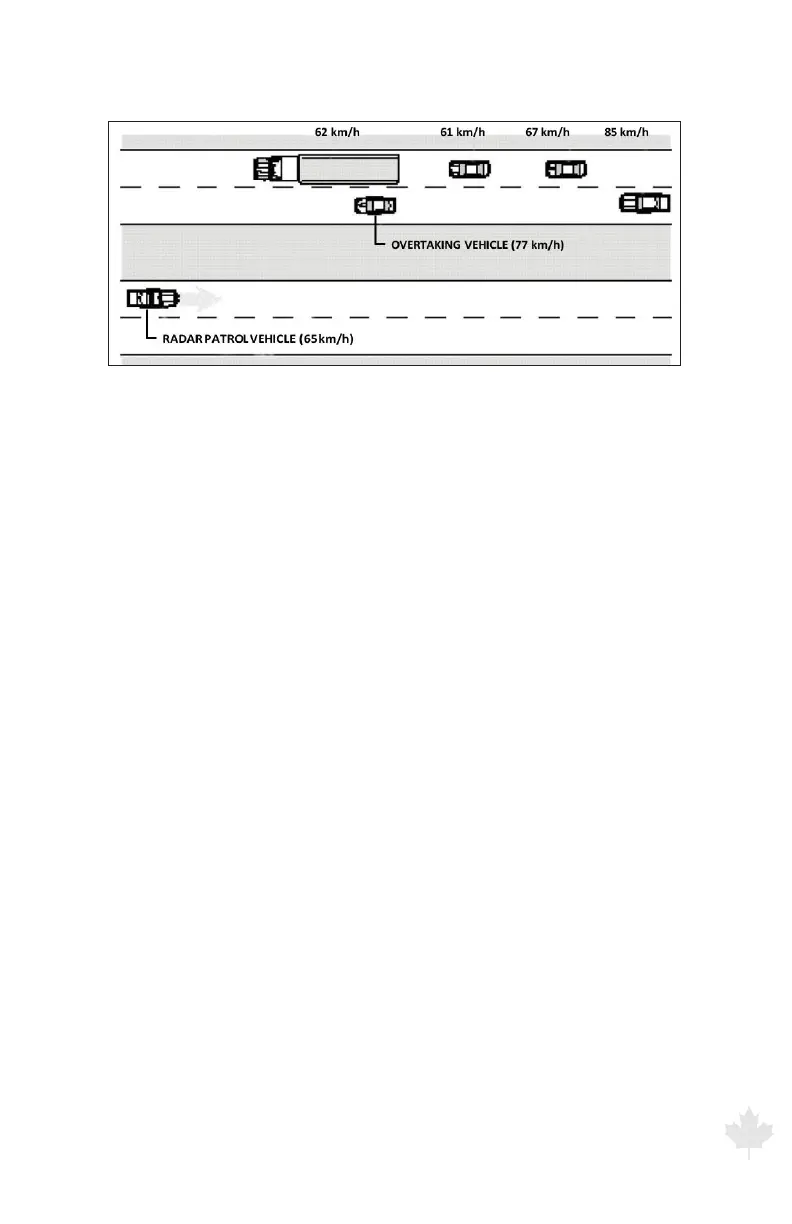
Figure 3.6a
Evaluating multiple targets in Faster Mode.
3.7 Locking a Speed
Pressing the LOCK button transfers the target speed and direction
information currently displayed in the TARGET window to the
LOCKED window. After locking the speed, the radar unit continues
to process speeds and display target speeds in the TARGET window.
This lets you continue to track the history of the target.
To clear a locked speed do one of the following:
• PresstheLOCKbuttonwhenanantennaistransmitting,andno
target is present.
• Changetheoperatingmode.
• Turntheantennaoandon.



 To Next Page