G3
™
User’s & Installation Manual
7/October/2020
12
2.0 Installation
Use the following instructions to mount your G3™:
2.1 Separating the Computer/Display Unit (optional)
If the space in your motor vehicle is at a premium, you will appreciate
the G3™ compact size and versatile components. You can separate
and remotely mount the computer unit from the display unit.
Common places to mount it are behind the dash, under the driver’s
seat, or on the console.
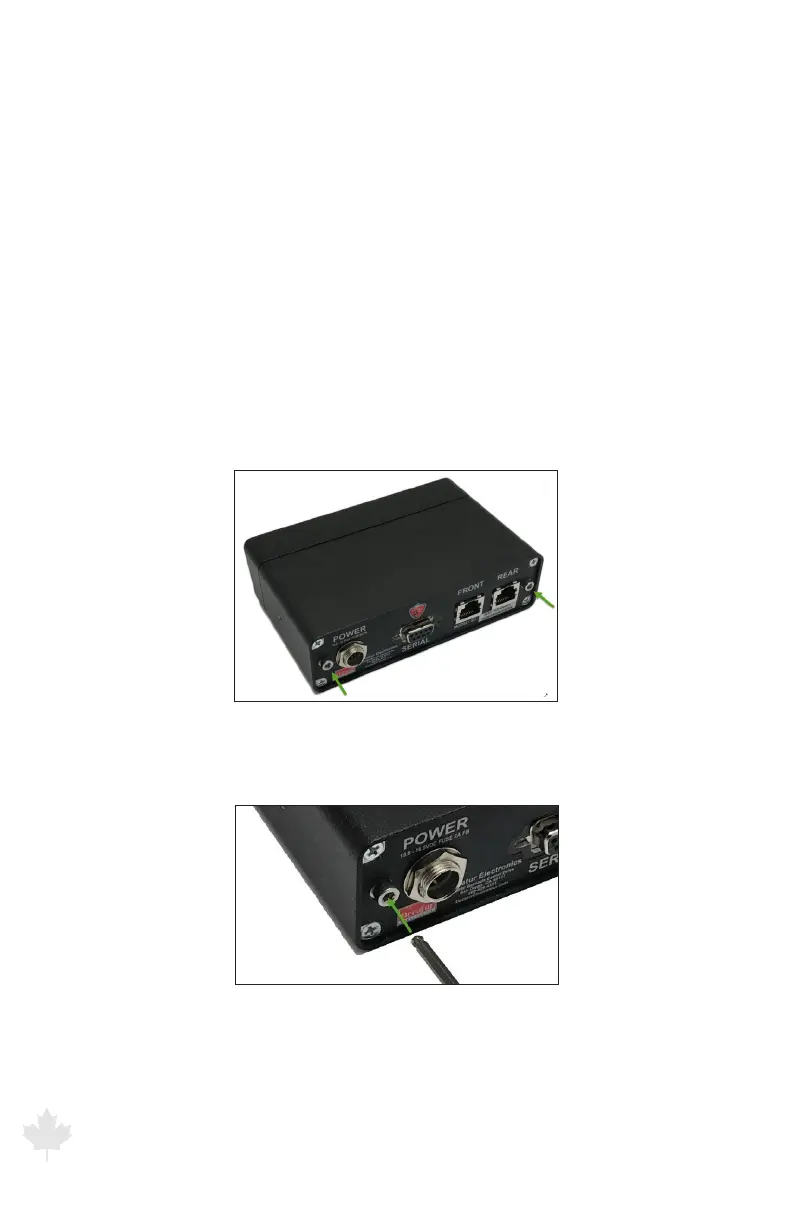
To separate the display from the computer unit, locate and remove
the two display retaining screws (Green Arrows) using a 7/64” hex
tool.
Figure 2.1a
Separating the computer/display unit.
Figure 2.1b
Using a hex tool, remove the retaining screws.



 To Next Page