G3
™
User’s & Installation Manual
7/October/2020
38
4.1 Display Windows
TARGET: Displays target speeds. Is blank when no target is present.
LOCKED: When you press the LOCK button, the LOCKED window
holds and displays the target speed that was in the TARGET window.
PATROL: Displays the patrol speed. The window is blank when
the radar unit is in Stationary Mode or when the motor vehicle is
traveling below the minimum patrol speed.
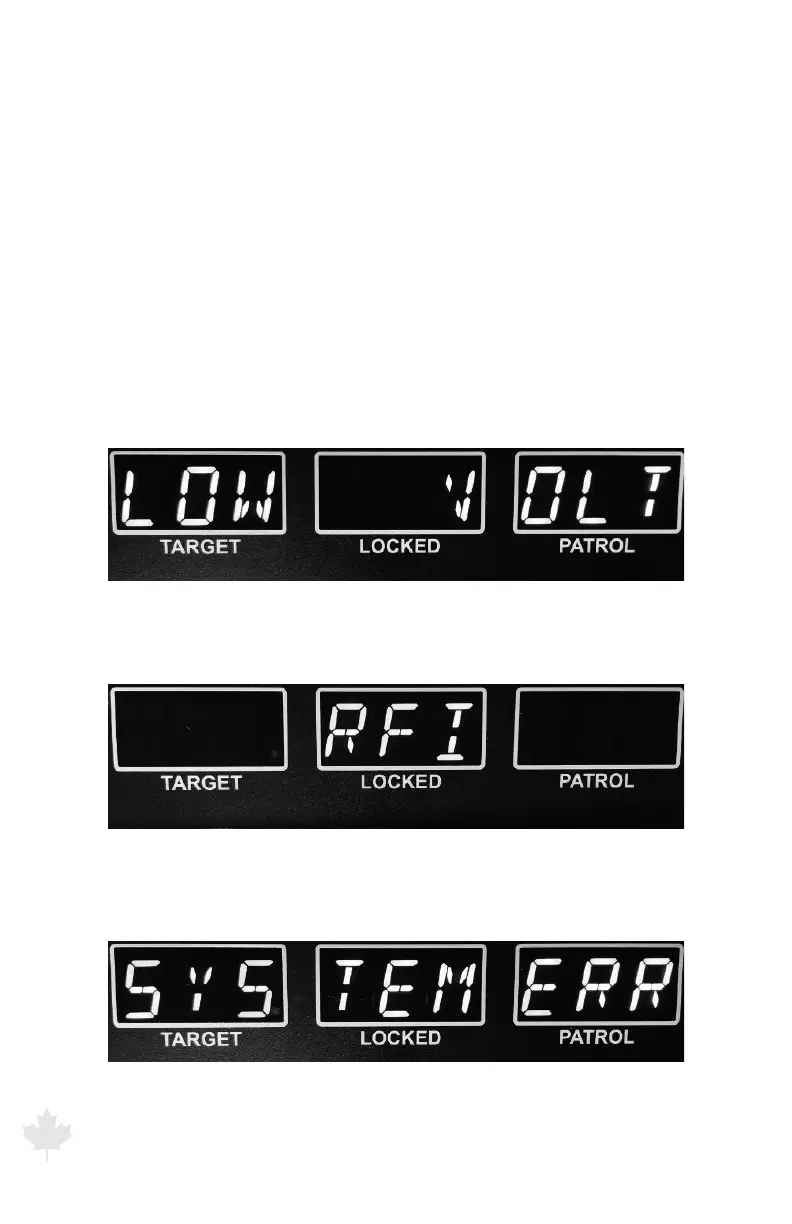
ERROR DISPLAY: When an error occurs, one of the following appears
in the display windows:
LOW VOLT: Low voltage
Figure 4.1a
The G3™ front display showing LOW VOLT error display.
RFI: Radio Frequency Interference
Figure 4.1b
The G3™ front display showing RFI error display.
SYSTEM ERR: System Failure
Figure 4.1c
The G3™ front display showing SYSTEM error display



 To Next Page