Genesis II Select
™
User’s & Installation Manual
16/September/2015
35
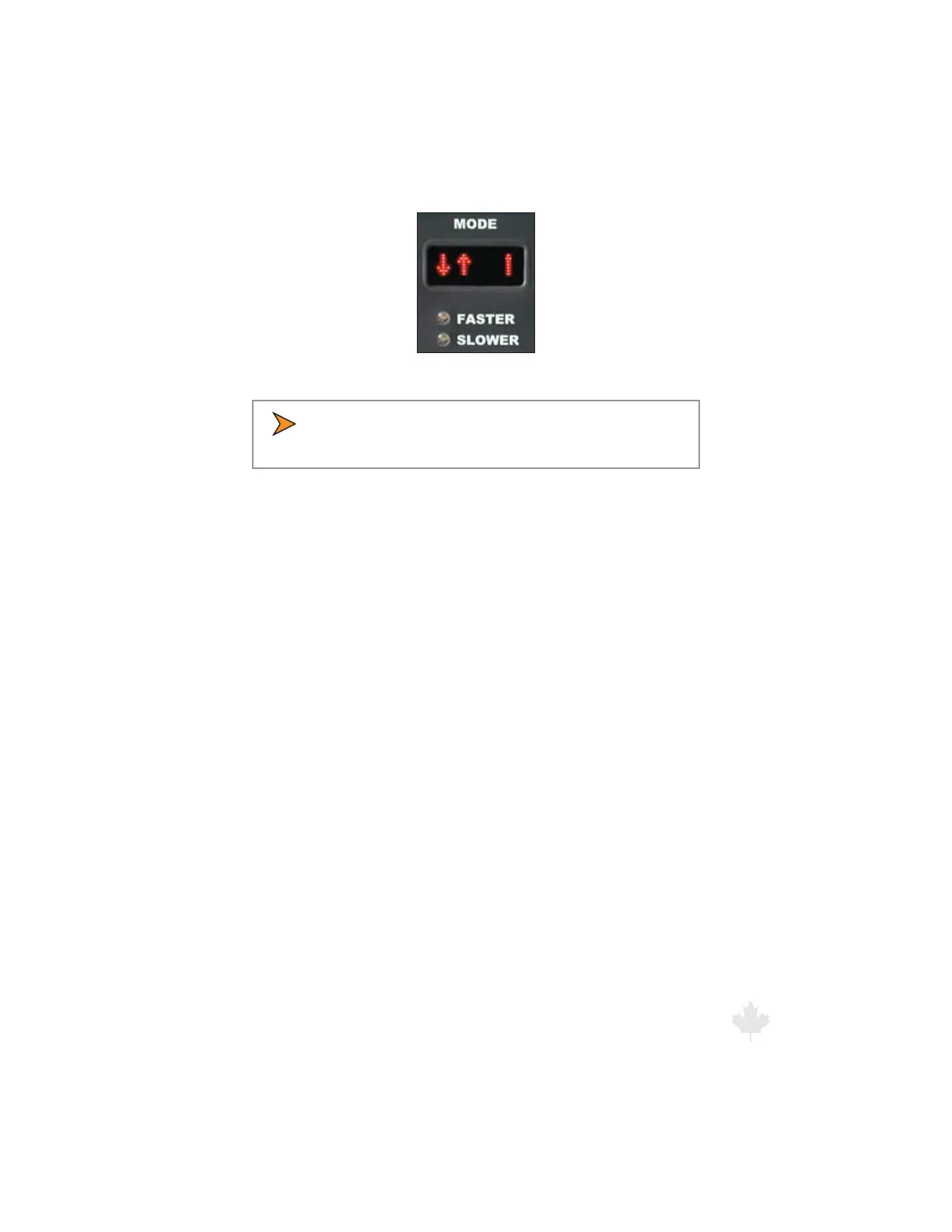
Figure 6.3.2b
Stationary Both Mode.
t *OPSEFSUPTFMFDUUIF4UBUJPOBSZ5PXBSEPS4UBUJPOBSZ
Away" modes, one of the antennas must be activated..
Detected target speeds will display in the TARGET window. The
PATROL window will always remain blank while in this mode.
"GUFSUIFi4UBUJPOBSZ#PUIwNPEFIBTCFFOTFMFDUFECSJFøZ
press and release the MODE button a second time to select the
“Stationary Towards” mode. Pressing and releasing the MODE
button a third time will select the “Stationary Away” mode. Pressing
and releasing the MODE button a fourth time will cycle to the
moving opposite mode of operation.
When the radar is toggled into the “Stationary Towards” mode, a
i5wXJMMCSJFøZCFEJTQMBZFEBMPOHTJEFPGUIFTPMJEMJOFPOUIFSJHIU
The radar will then replace the “T’ with an arrow representing the
direction of travel in which the radar will monitor. (When using
the FRONT antenna, targets moving towards the patrol will be
represented by an arrow on the left pointing down. An arrow will
be pointing up when the REAR antenna is selected.) Once a solid
target is acquired, the letter “T” will again appear.



 To Next Page