27
10. 1 Oper ation Menu
SEARCH is covered in Live View – see section 9.2 for details.
BAC KUP
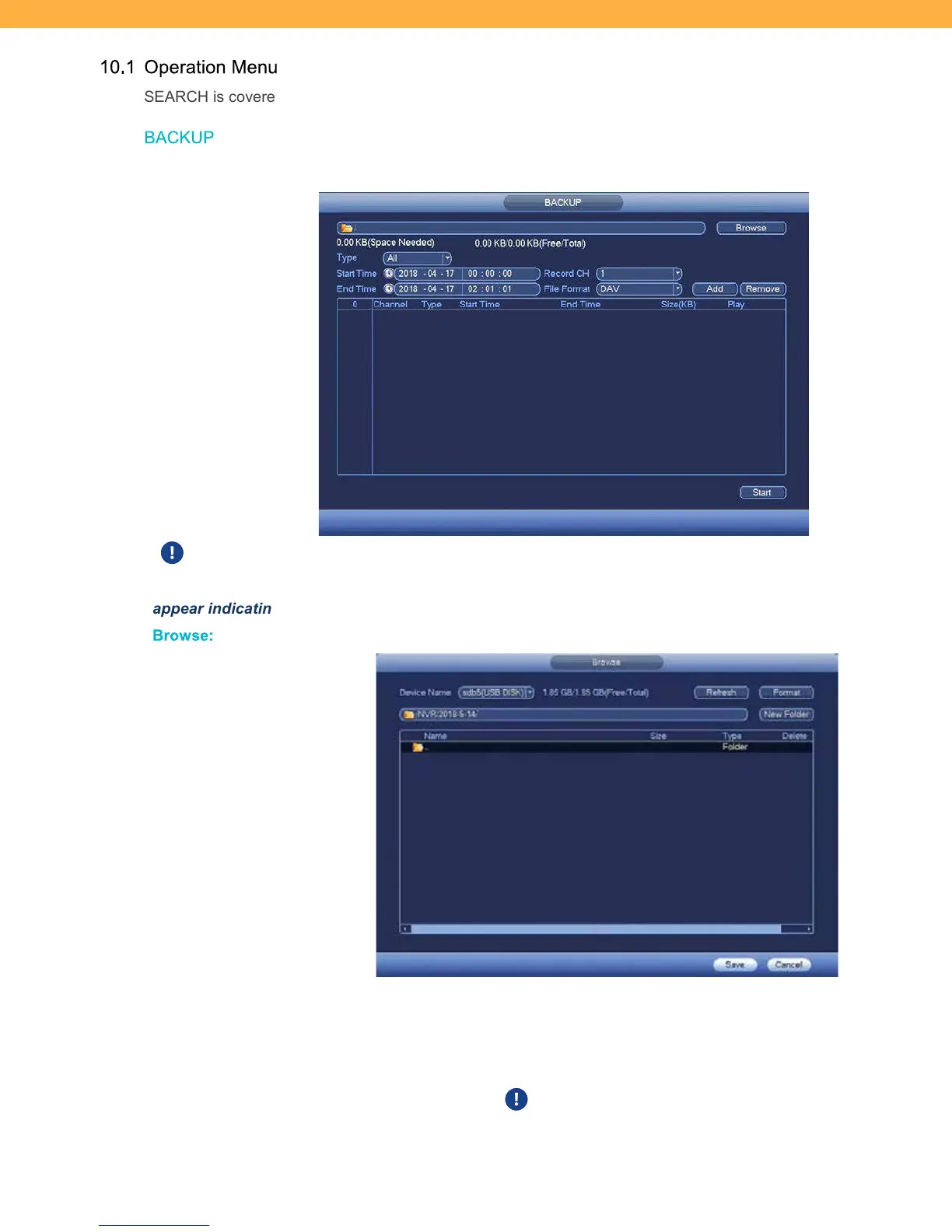
Detect backup device and backup recorded data. This requires a USB drive to have the backup saved on.
This requires a USB drive (32GB or smaller) to have the backup saved to. Insert a USB into
the front of the NVR unit to begin the backup process. If the USB is missing a Message window will
appear indicating that No USB device is present.
Br owse:
Click Browse to select a location for your backup to be saved.
DEVICE NAME: Click the drop down to select from the available storage
devices.
REFRESH: Click to Refresh the information on this screen.
FORMAT: Click to format the storage device (USB). This will remove all existing
files from the USB drive. Once the formatting process has started it
cannot be stopped and all files will be lost. A Message window will appear to



 To Next Page