41
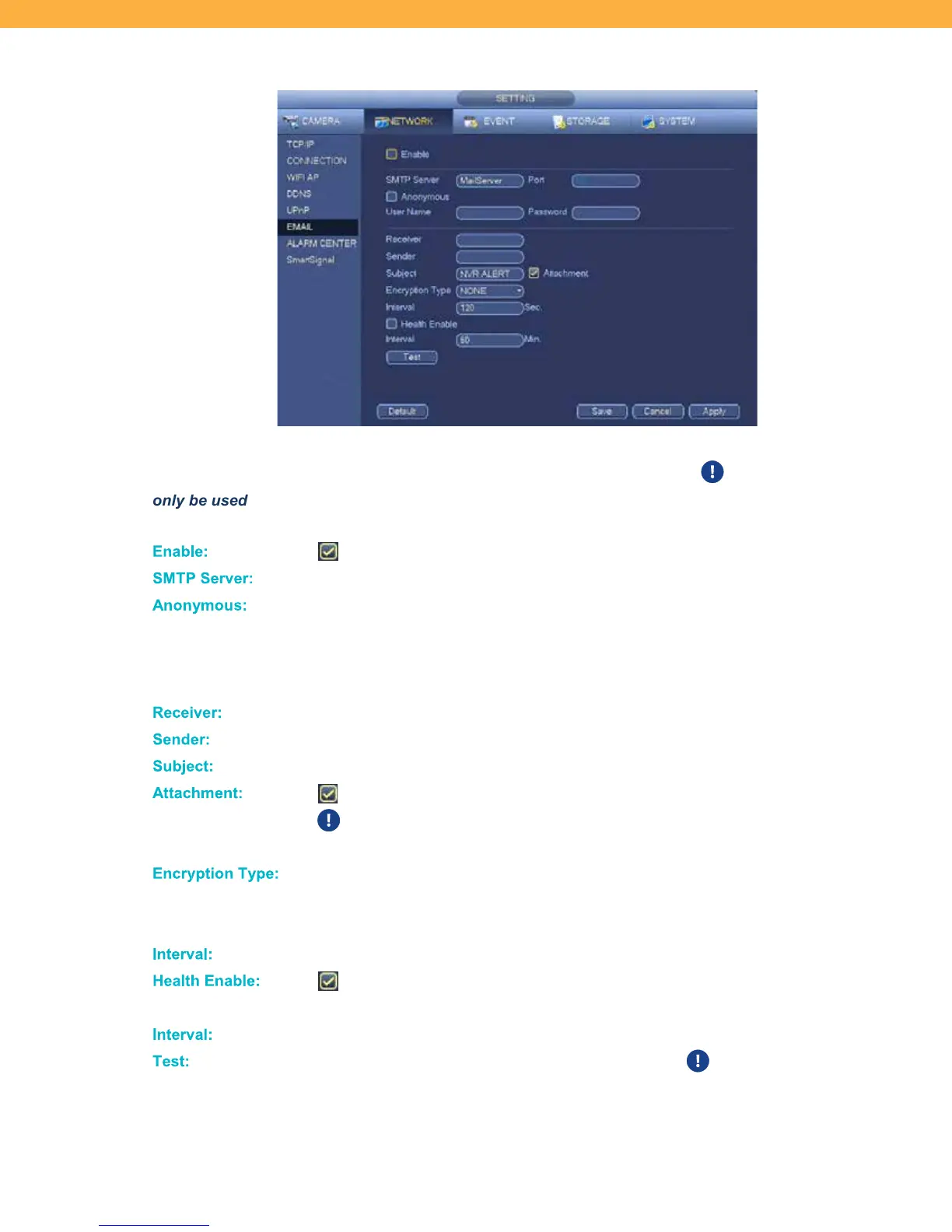
EMAIL
Setup Emails to be sent based on NVR Alerts. SMTP server connection details are needed to setup email
alerts. Your email service provider can provide your SMTP server information. This feature would
only be used when not using the Mobile App.
Enable :
When selected the email notification are enabled.
SMTP S erver:
Click to enter the SMTP server address.
Anonymous:
Used only if your server allows for anonymous login. If not supported do not enable
the checkbox. If selected you will need the login details from your provider.
USER NAME: Click the field to enter the SMTP user name.
PASSWORD: Click the field to enter the SMTP password.
Receiver :
Click to enter the email address that will receive the alerts.
Sende r:
Click to enter the email address that will send the alerts.
Subject:
Click to enter a standard subject line for the email alerts.
Attach ment:
When selected a jpg image will be included in the email as an attachment.
The Snapshot Motion Detection must be enable on the cameras to receive
attachments.
Encryption T ype:
If your server does not use encryption use the default NONE. If your server does
use encryption select SSL (Secure Sockets Layer) or TLS (Transport Layer
Security) from the drop down options.
Inte rval:
Click to enter the number of seconds between event email alerts.
Healt h E nable :
When selected the system will send health check emails to notify you if the
system is functioning normally.
In terval:
Click to enter the number of minutes between health check emails alerts.
Test:
Click to test sending emails to the Receiver email. We recommend testing
the email alerts before relying on this feature to ensure the correct details
have been entered.



 To Next Page