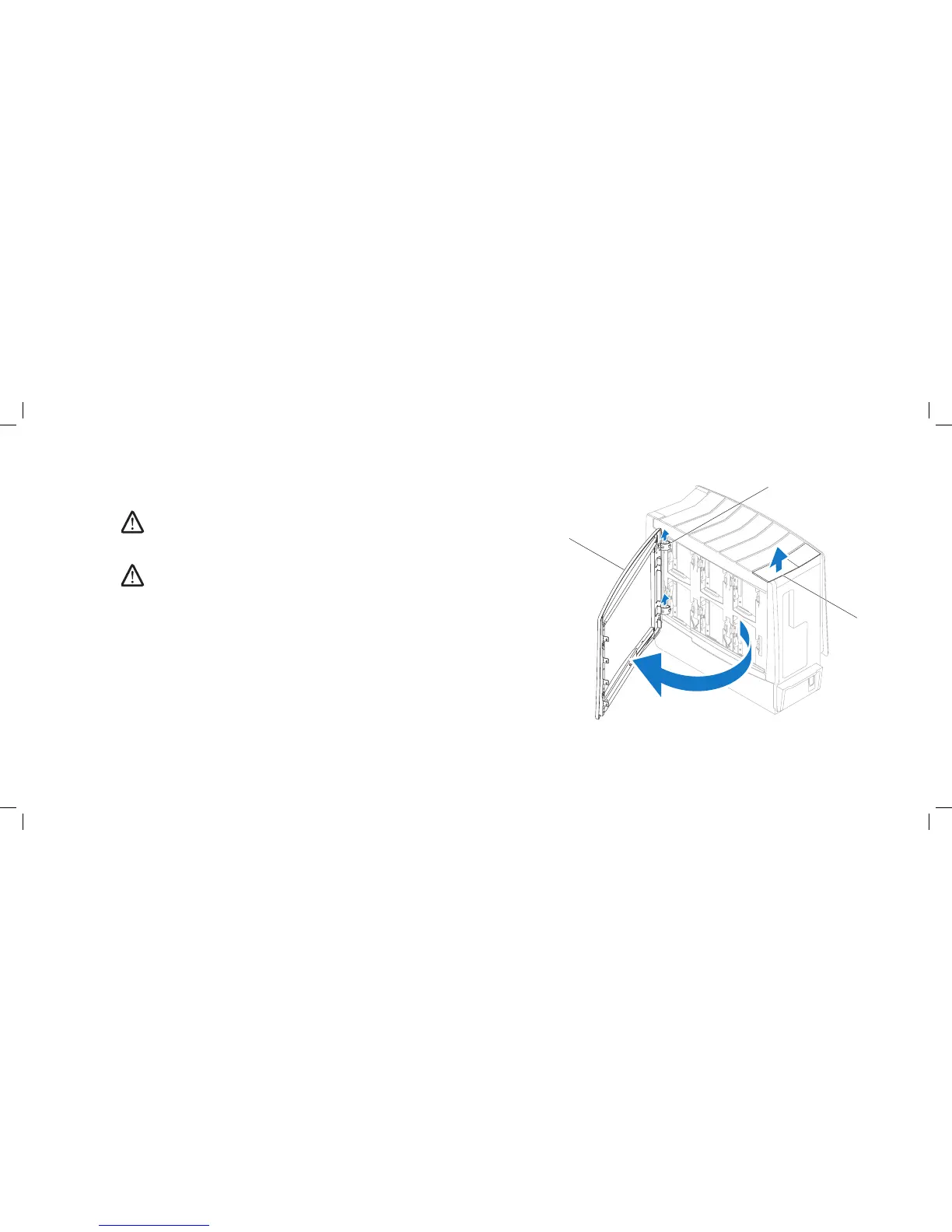
1 right side-panel 3 release panel
2 hinges (2)
Removing the Right Side-Panel
Follow the instructions in “Before You Begin” on page 1. 6.
NOTE: Ensure that any attached security cable is removed before
attempting to lift the release panel.
Lift the release panel and open the right side-panel as far as possible.2.
NOTE: eater lighting turns on automatically when the side panel is
opened.
To remove the right side-panel completely from the chassis, lift the right 3.
side-panel and rotate it away from the chassis to release it from the hinges.
Replacing the Right Side-Panel
Follow the instructions in “Before You Begin” on page 1. 6.
If the right side-panel was removed completely from the chassis, align it 2.
with the hinges and replace it in the chassis.
Push the right side-panel against the side of the computer until it locks into 3.
place.
Connect your computer and devices to electrical outlets, and then turn 4.
them on.











 To Next Page