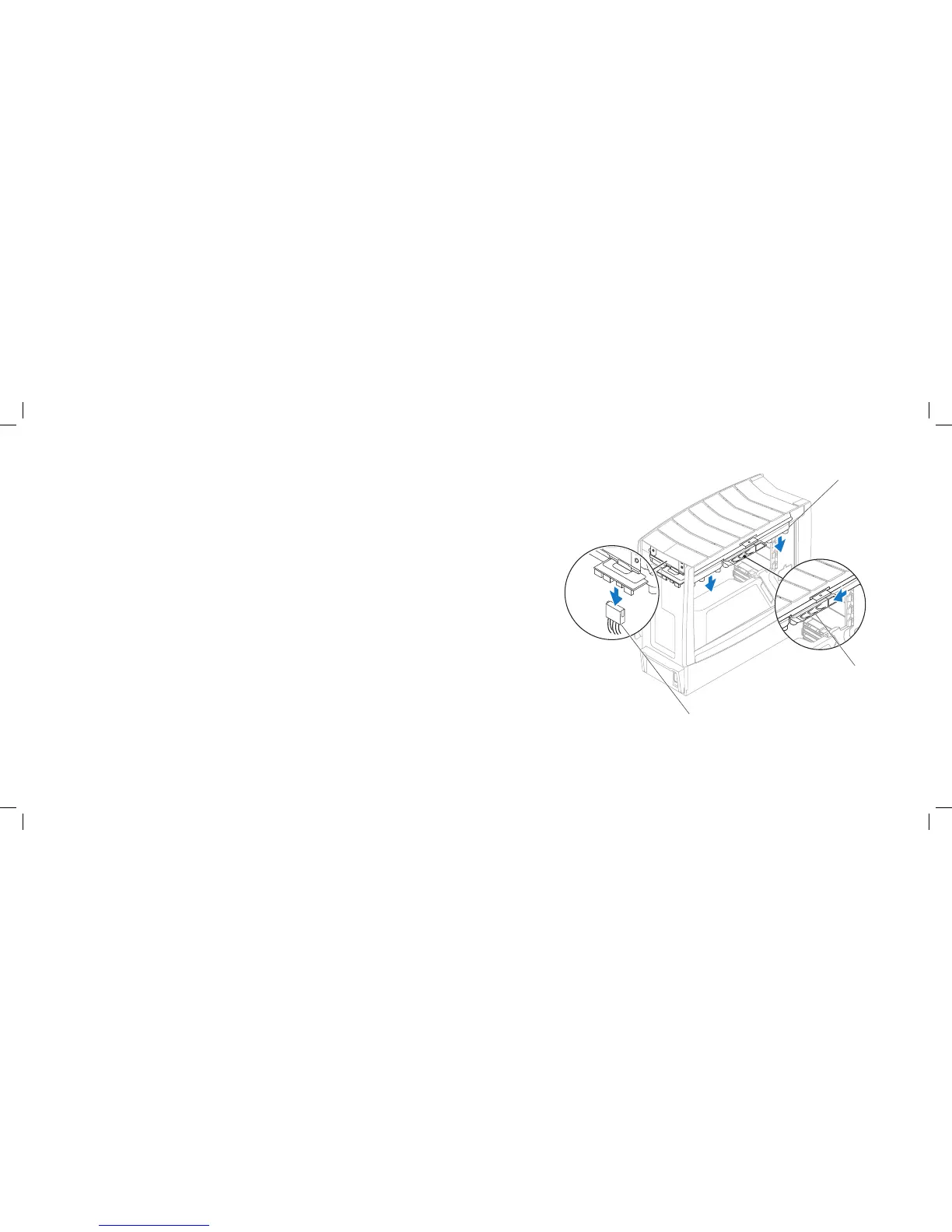
1 liquid-cooling assembly cable 3 liquid-cooling assembly
2 release latch
Removing the Liquid-Cooling Assembly
Follow the instructions in “Before You Begin” on page 1. 6.
Remove the left side-panel (see “Removing the Left Side-Panel” on page 2. 15).
Disconnect the liquid-cooling assembly cable from the liquid-cooling 3.
assembly.
Push the release latch towards the back of the computer to release the 4.
liquid-cooling assembly from the chassis.
Rotate the liquid-cooling assembly down and pull it away from the chassis.5.











 To Next Page