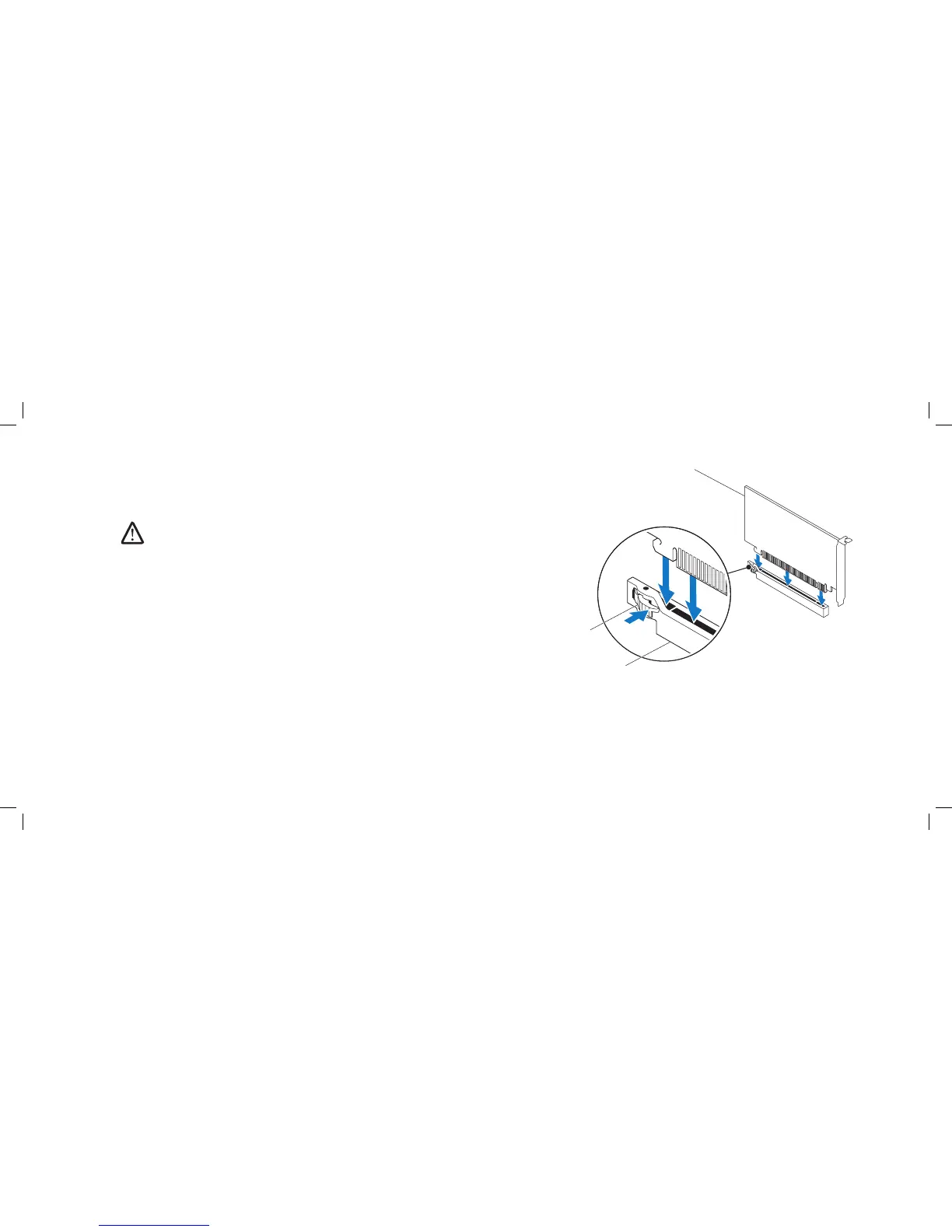
1 PCI-Express x16 card 3 PCI-Express x16 connector
2 retention mechanism
Replacing PCI and PCI-Express Cards
Follow the instructions in “Before You Begin” on page 1. 6.
Remove the ller bracket to create a card-slot opening (if applicable). 2.
NOTE: For information on conguring, customizing, and making internal
connections on the card, see the documentation that shipped with the
card.
Align the card with the connector on the system board.3.
Place the card in the connector and press down rmly. Ensure that the card 4.
is rmly seated in the connector.
If you are installing the PCI-Express card into the x16 card connector, push
the retention mechanism and insert the card in the connector.
Connect any cables that should be attached to the card (if applicable).5.
Replace the PCI shroud (see “Replacing the PCI Shroud” on page 6. 22).
Close the left side-panel.7.
Connect your computer and devices to electrical outlets, and then turn 8.
them on.











 To Next Page