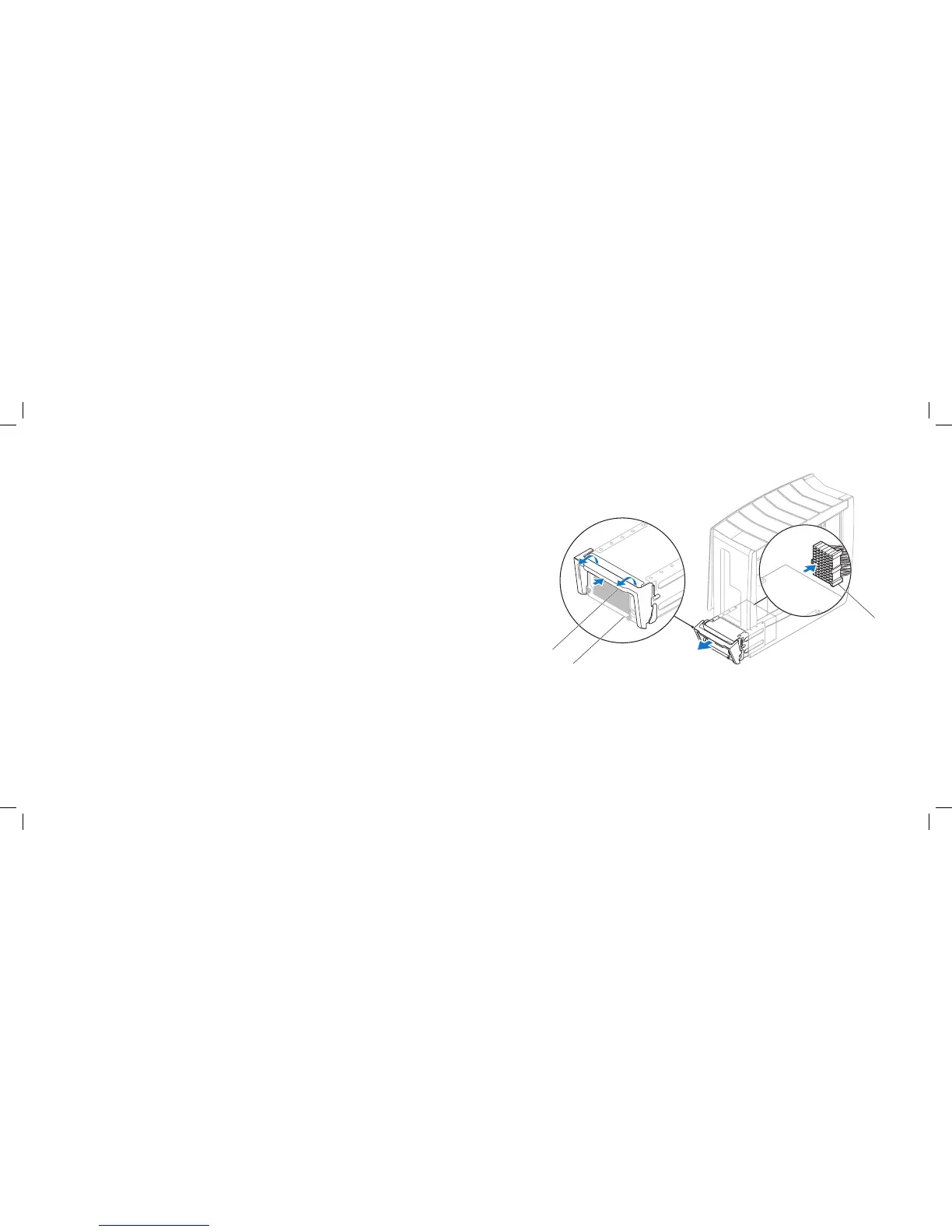
1 power-supply handle 3 power-supply cable connector
2 power supply
Removing the Power Supply
Follow the instructions in “Before You Begin” on page 1. 6.
Remove the left side-panel (see “Removing the Left Side-Panel” on page 2. 15).
Remove the PCI shroud (see “Removing the PCI Shroud“ on page 3. 22).
Push the power-supply handle inwards to unlock it.4.
Using the power-supply handle, partially slide the power supply away from 5.
the computer to access the power-supply cable connector .
Disconnect the power-supply cable connector from the power supply.6.
Slide the power supply out of the chassis.7.











 To Next Page