023
023
/
CHAPTER 4: SHROUDS
Removing the Drive-Bay Shroud
Follow the instructions in “Before You Begin” on page 1. 6.
Remove the left side-panel (see “Removing the Left Side-Panel” on page 2. 15).
Remove the PCI shroud (see “Removing the PCI Shroud“ on page 3. 22).
Disconnect the drive-bay shroud cables from the master I/O board 4.
connectors.
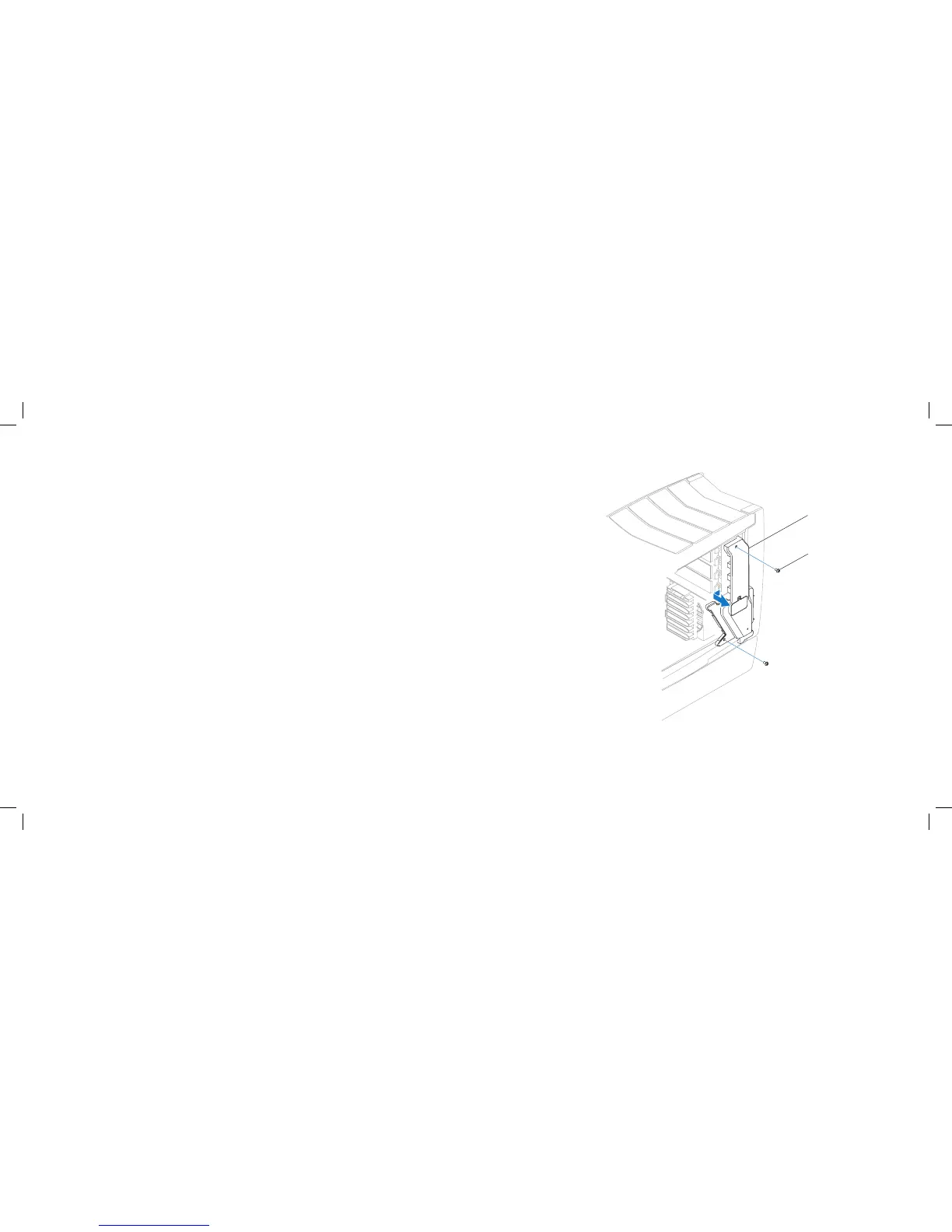
Remove the two screws that secure the drive-bay shroud to the chassis.5.
Slide and pull the drive-bay shroud away from the computer.6.
Replacing the Drive-Bay Shroud
Follow the instructions in “Before You Begin” on page 1. 6.
Align the screw holes on the drive-bay shroud with the screw holes on the 2.
chassis.
Replace the two screws that secure the drive-bay shroud to the chassis. 3.
Connect the drive-bay shroud cables to the master I/O board connectors.4.
Replace the PCI shroud (see “Replacing the PCI Shroud” on page 5. 22).
Replace the left side-panel (see “Replacing the Left Side-Panel” on page 6. 15).
Connect your computer and devices to electrical outlets, and then turn 7.
them on.











 To Next Page