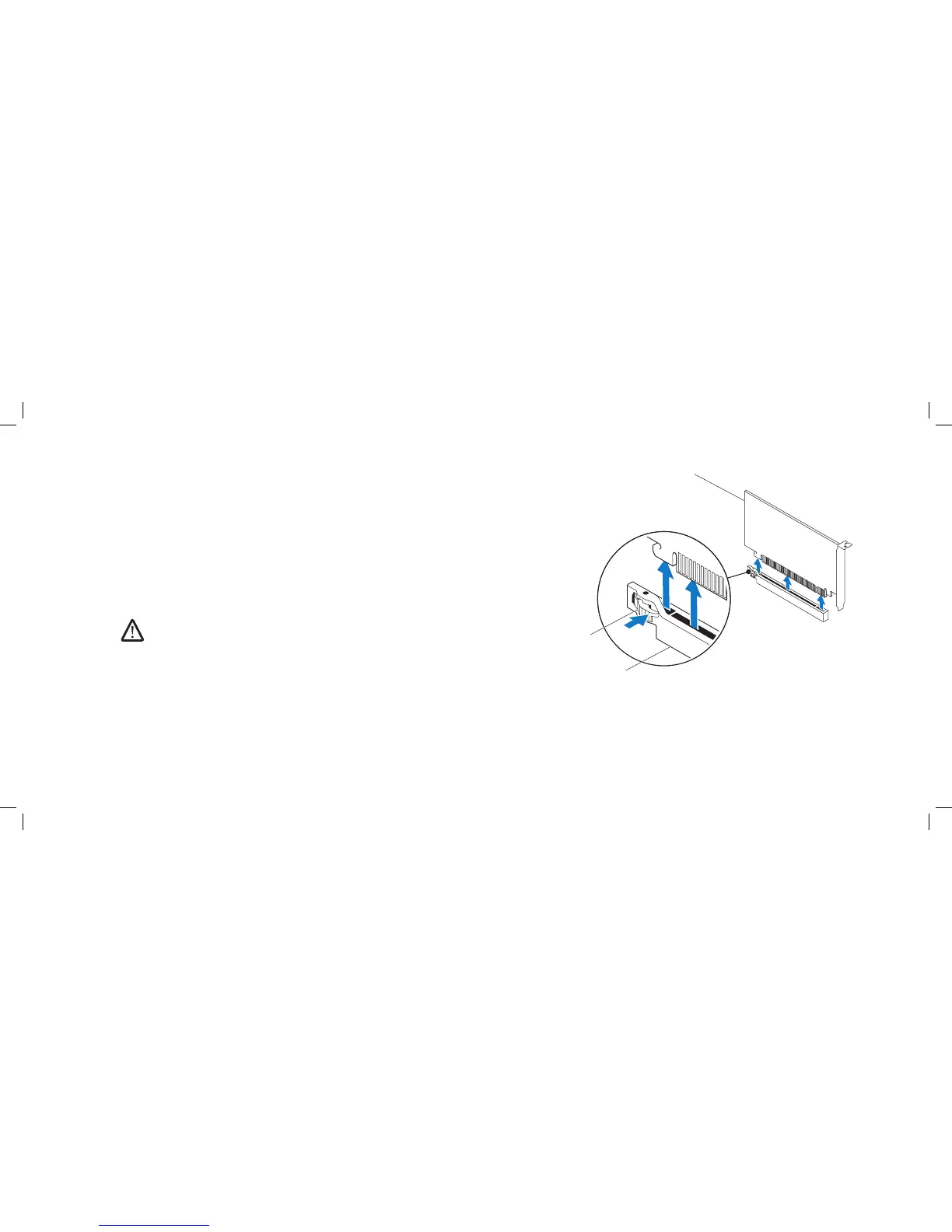
1 PCI-Express x16 card 3 PCI-Express x16 connector
2 retention mechanism
Removing PCI and PCI-Express Cards
Follow the instructions in “Before You Begin” on page 1. 6.
Lift the release panel and open the left side-panel.2.
Remove the PCI shroud (see “Removing the PCI Shroud“ on page 3. 22).
Disconnect any cables connected to the card (if applicable).4.
Remove the card:5.
For a PCI or PCI-Express x1 card, grasp the card by its top corners, and •
ease it out of its connector.
For a PCI-Express x16 card, push the retention mechanism on the card •
connector as you grasp the card by its top corners, and then ease the
card out of the connector.
NOTE: If you are not replacing a card, install a ller bracket
in the empty card-slot opening.











 To Next Page