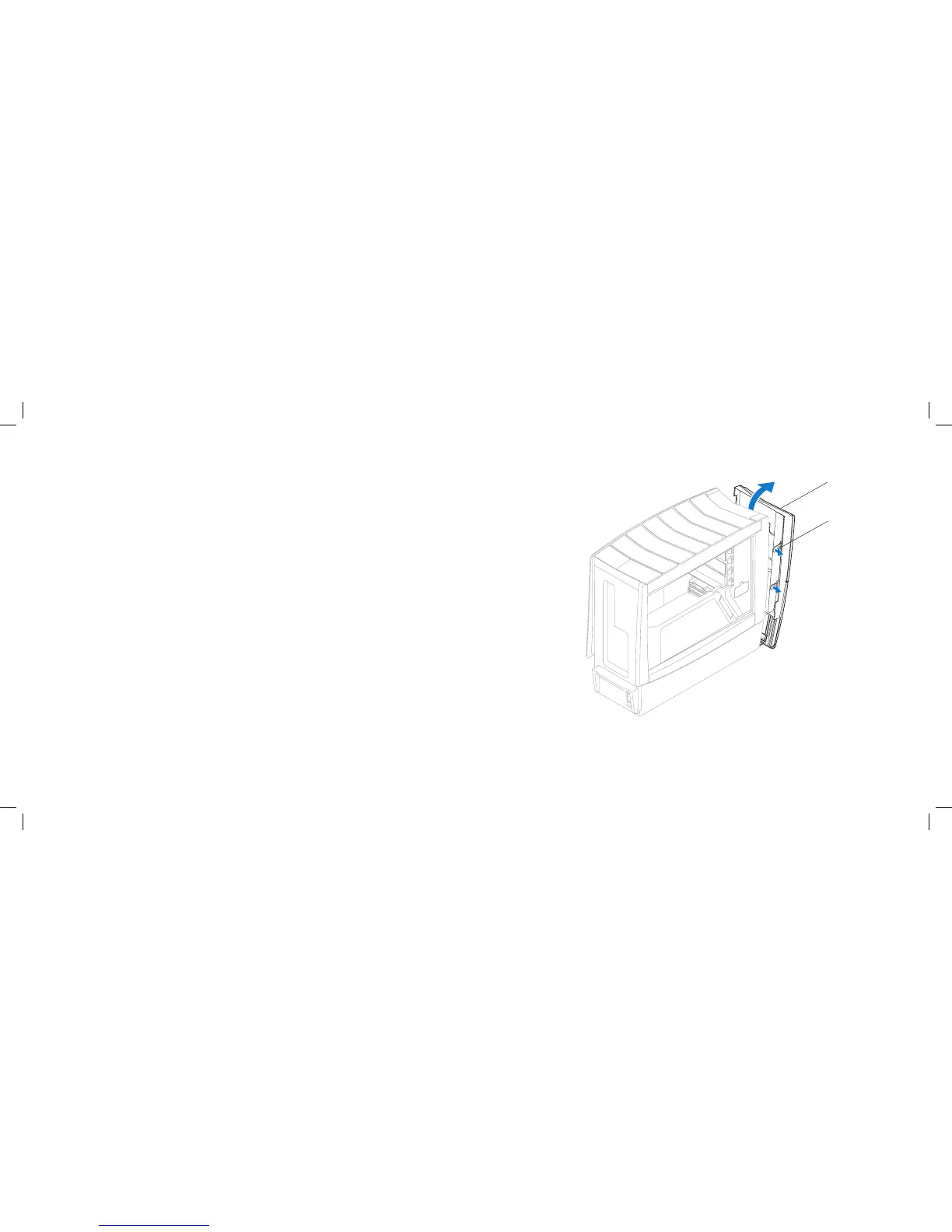
1 front bezel 2 front-bezel clamps (6)
Removing the Front Bezel
Follow the instructions in “Before You Begin” on page 1. 6.
Remove the left side-panel (see “Removing the Left Side-Panel” on page 2. 15).
Remove the right side-panel (see “Removing the Right Side-Panel” on 3.
page 16).
Disconnect the front-bezel cables from the master I/O board connectors.4.
Release the front-bezel clamps that secure the front bezel to the chassis.5.
Pull the front bezel away from the front of the computer.6.
Replacing the Front Bezel
Follow the instructions in “Before You Begin” on page 1. 6.
Align the front-bezel clamps with the front-bezel clamp inserts on the 2.
chassis.
Push the front bezel towards the computer until the front-bezel clamps 3.
snap into place.
Connect the front-bezel cables to the master I/O board connectors.4.
Replace the right side-panel (see “Replacing the Right Side-Panel” on 5.
page 16).
Replace the left side-panel (see “Replacing the Left Side-Panel” on page 6. 15).
Connect your computer and devices to electrical outlets, and then turn 7.
them on.











 To Next Page