Procedure
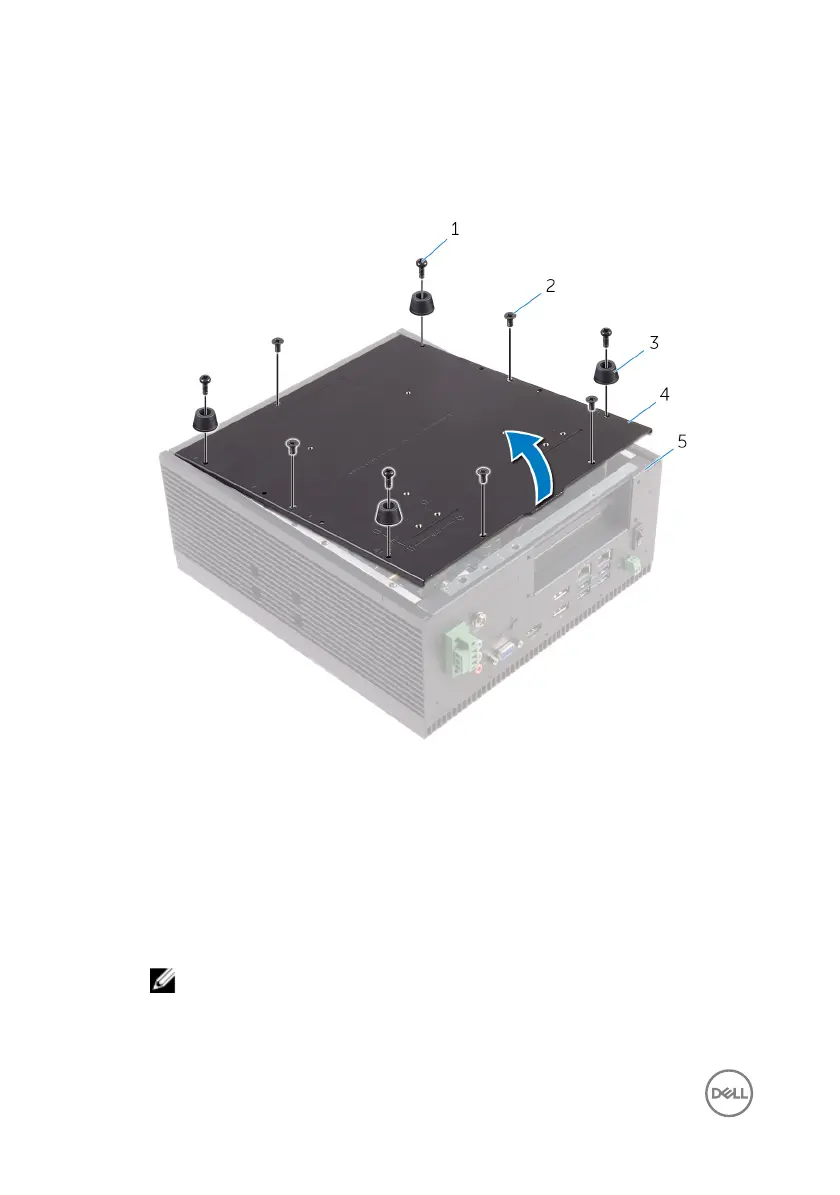
1 Remove the screws that secure the back cover to the chassis.
1 M3x8 screws (4) 2 M3x5 countersunk screws
(5)
3 rubber feet (4) 4 back cover
5 chassis
2 Open the back cover from the chassis.
3 Disconnect the SATA-power and SATA-data cable from the hard drive or solid-
state drive assembly.
NOTE: Disconnect the cables from the second drive if installed.
20















 To Next Page