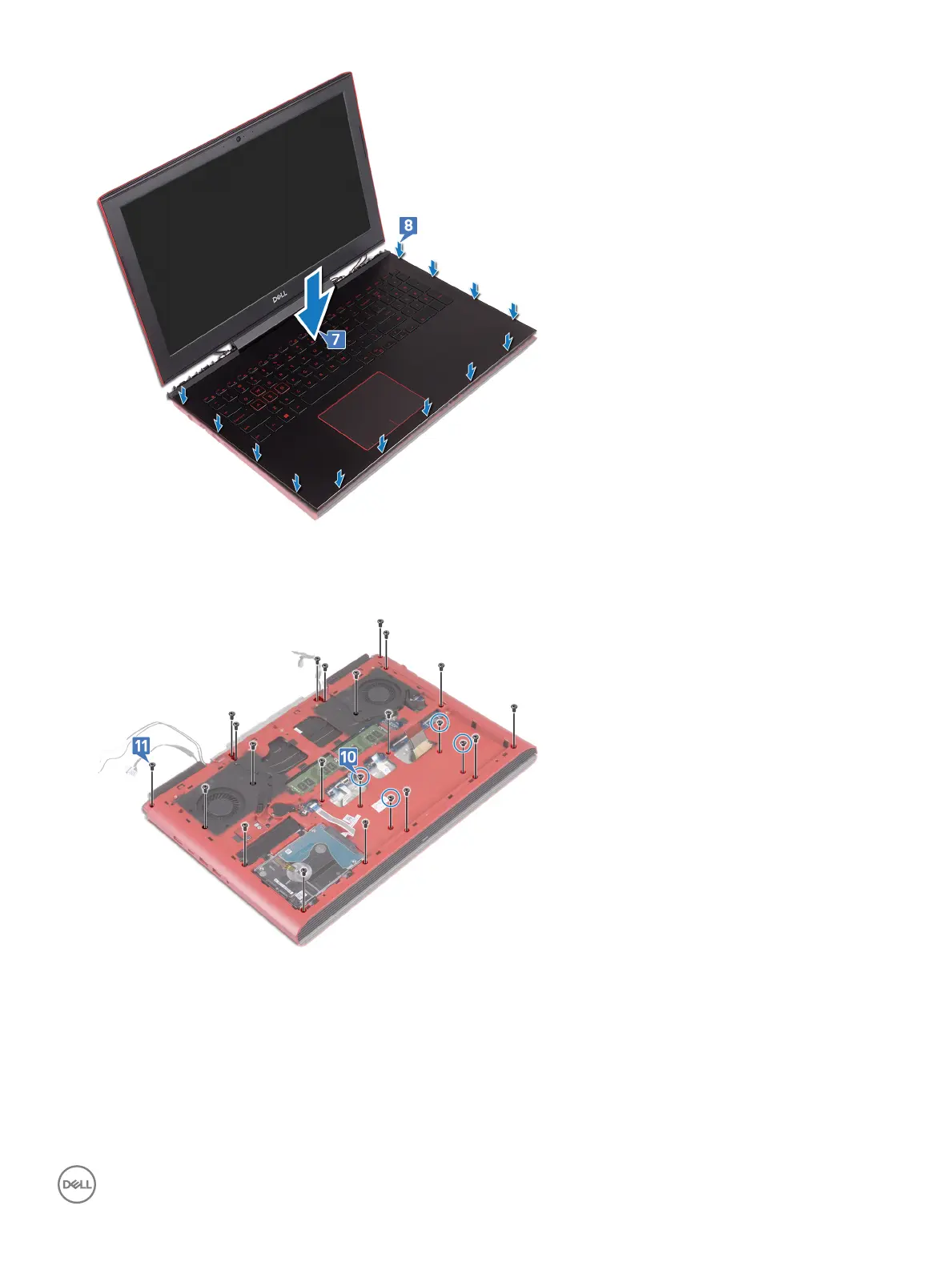
9 Close the display and turn the computer over.
10 Replace the four screws (M2x3) that secure the computer base to the palm-rest assembly.
11 Replace the 19 screws (M2.5x6) that secure the computer base to the palm-rest assembly.
12 Slide the keyboard cable into the connector on the system board and close the latch to secure the cable.
13 Adhere the tape that secures the keyboard cable to the system board.
14 Slide the touchpad cable into the connector on the system board and close the latch to secure the cable.
15 Slide the keyboard-backlight cable into the connector on the system board and close the latch to secure the cable.
16 Slide the power-button board cable into the connector on the system board and close the latch to secure the cable.
Replacing the computer base
49



 To Next Page