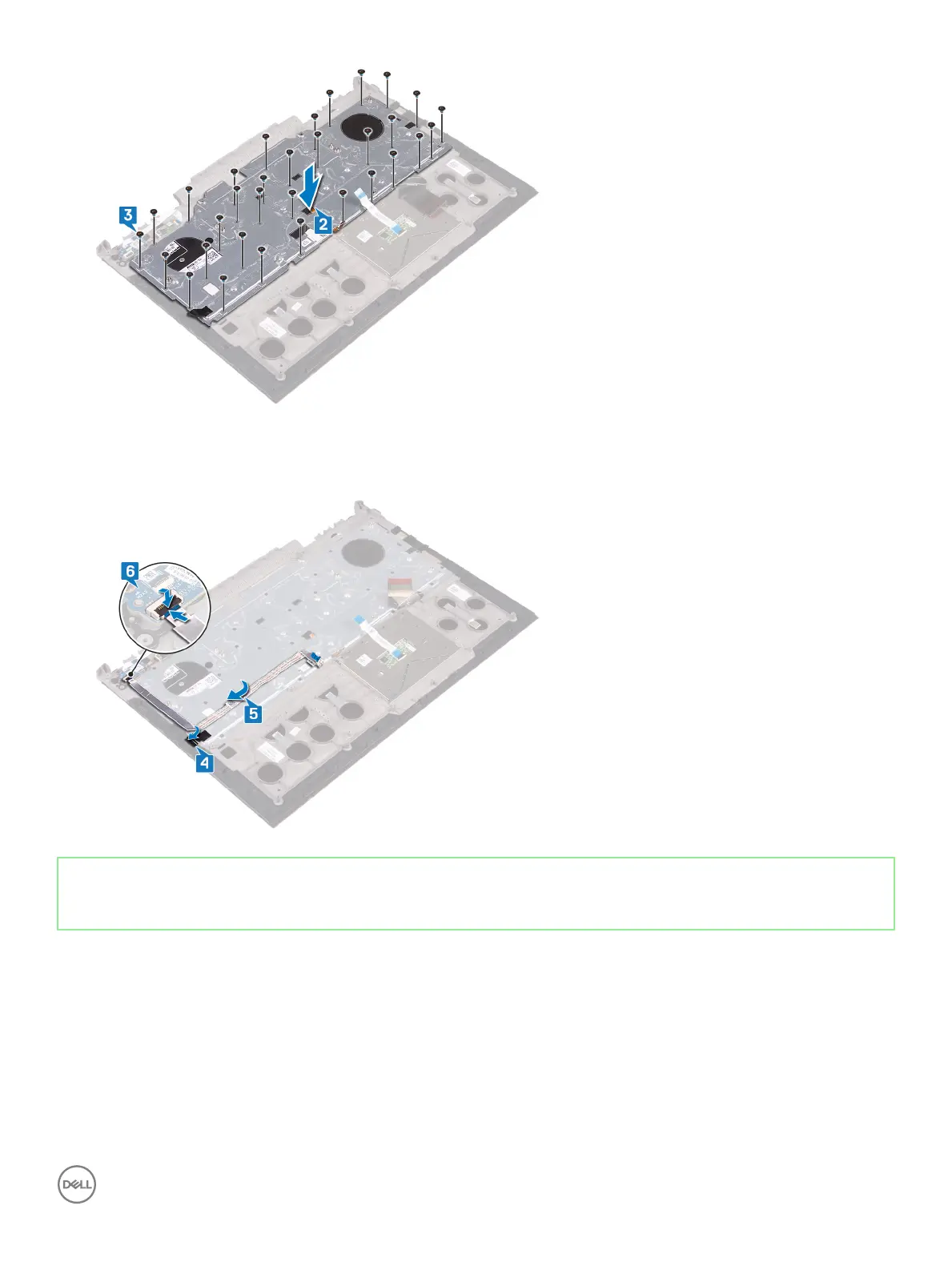
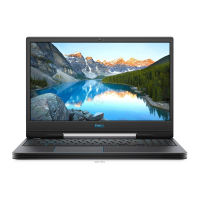
4 Adhere the tape that secures the keyboard bracket to the palm-rest assembly.
5 Adhere the power-adapter port cable to the palm-rest assembly.
6 Connect the power-adapter port cable to the palm-rest assembly and close the latch to secure the cable.
Identifier GUID-B89119DF-9F78-44A0-B441-900F4847476D
Status Released
Post-requisites
1 Replace the display assembly.
2 Follow the procedure from step 7 to step 23 in Replacing the computer base.
3 Replace the wireless card.
4 Replace the rear cover.
5 Replace the battery.
6 Replace the base cover.
Replacing the keyboard
95



 To Next Page