• Do not connect the printer directly to a Digital Subscriber Line (DSL). This may damage the
printer. To use a DSL, you are required to use an appropriate DSL filter. Contact your service
provider for the DSL filter.
• To reduce the risk of shock or fire, use only a No. 26 AWG or larger telephone cable.
Connecting the Printer to the Wall Jack
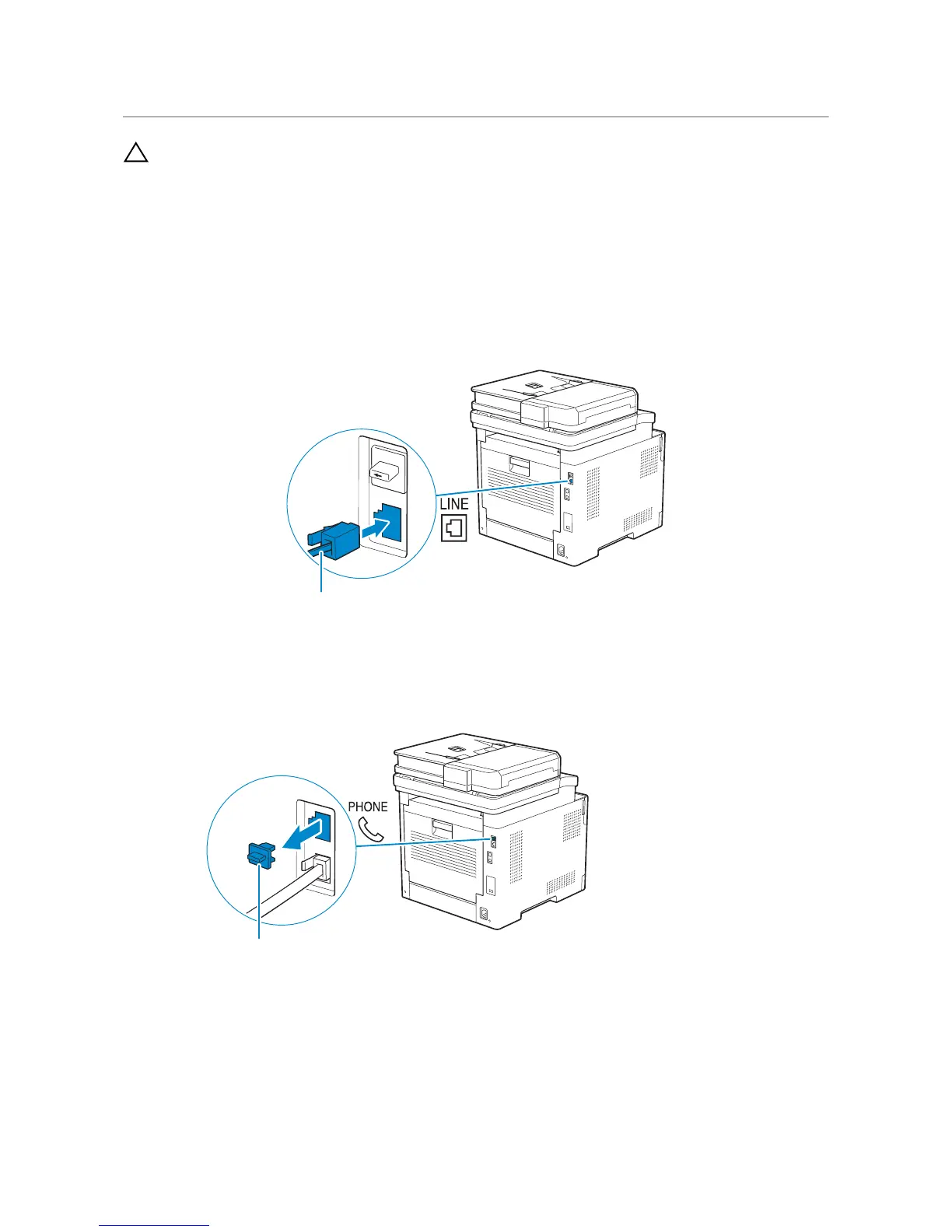
To connect the printer to a telephone line, connect a telephone cable into the wall jack
connector on the rear of the printer. Connect the other end of the cord into an active
wall jack.
If the phone communication is serial in your country (such as Germany, Sweden,
Denmark, Austria, Belgium, Italy, France, and Switzerland), and a "Yellow" terminator is
supplied, perform the following procedure:
1 Remove the "Blue" plug from the phone connector.



 To Next Page