Maintaining Your Printer |
341
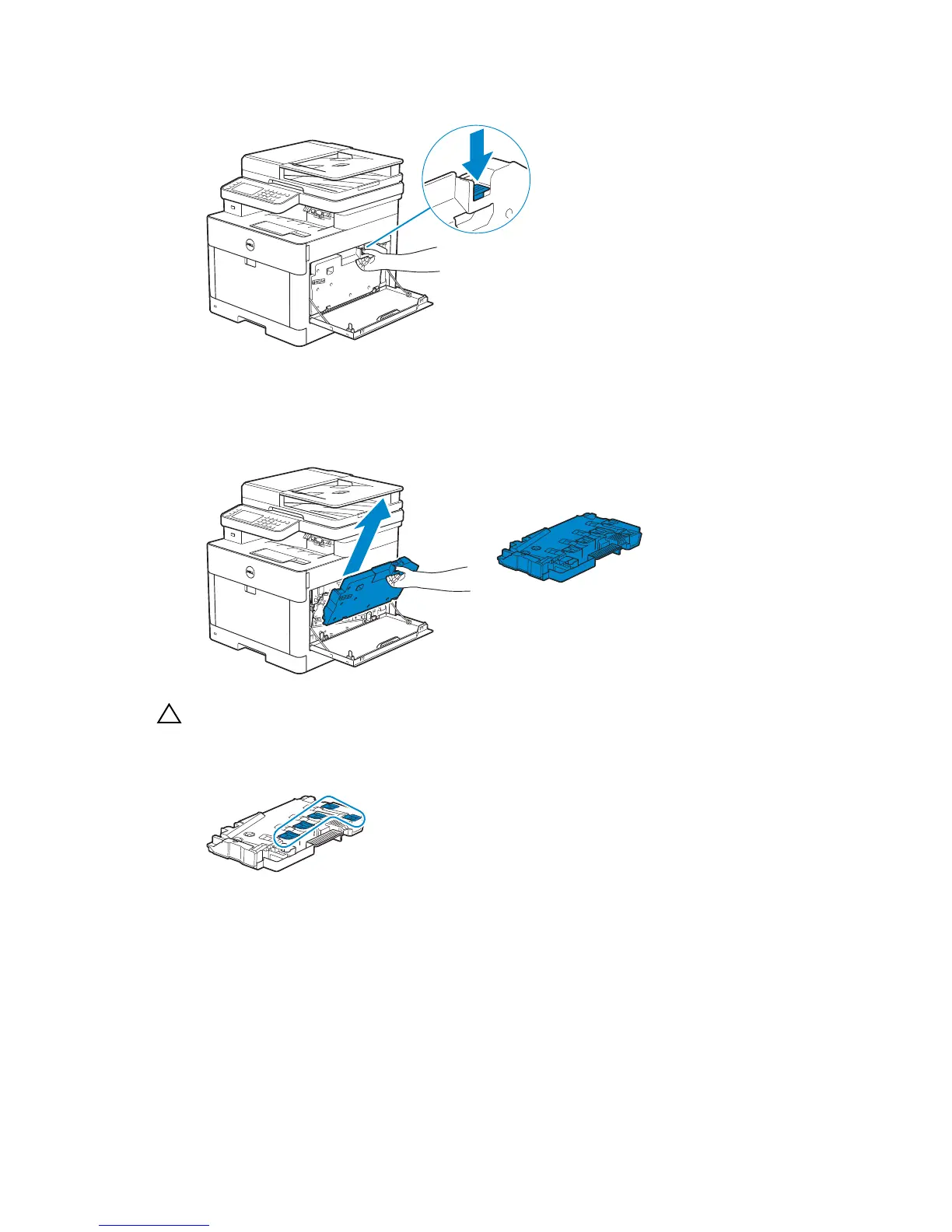
2 Push down the latch to release the waste toner box from the printer.
3 Gently pull the waste toner box upwards.
Make sure that the side that was attached to the printer is facing up so that the waste
toner does not spill out.
• Take care not to drop the waste toner box while you are removing it.
• After removing the waste toner box, do not touch the parts shown in the illustration. Toner
can soil or stain your hands.
4 Insert the used waste toner box into the plastic bag that came with the new waste
toner box and seal the bag.
Installing a Waste Toner Box
1 Unpack a new waste toner box.
2 Insert the waste toner box.



 To Next Page