342
| Maintaining Your Printer
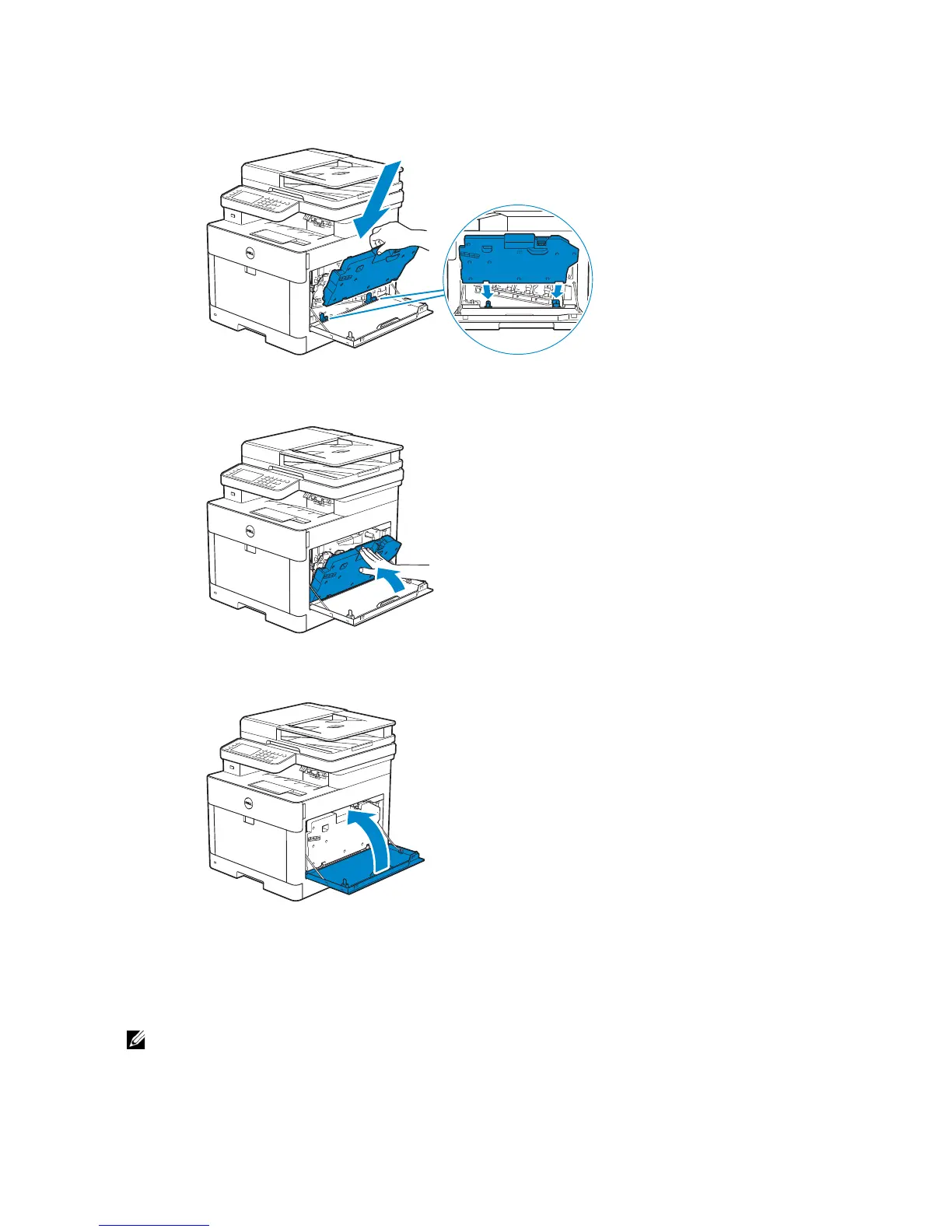
Make sure that the two indented parts on the bottom go into the brackets on the
printer.
3 Push on the handle of the waste toner box until it clicks.
4 Close the right side cover.
Cleaning Inside the Printer
Cleaning the Color Toner Density (CTD) Sensor
• Clean the CTD sensor only when an alert for the CTD sensor is shown on the Status Monitor or
touch panel.
1 Make sure that the printer is turned off.



 To Next Page