Connecting Your Printer to a Telephone Line |
29
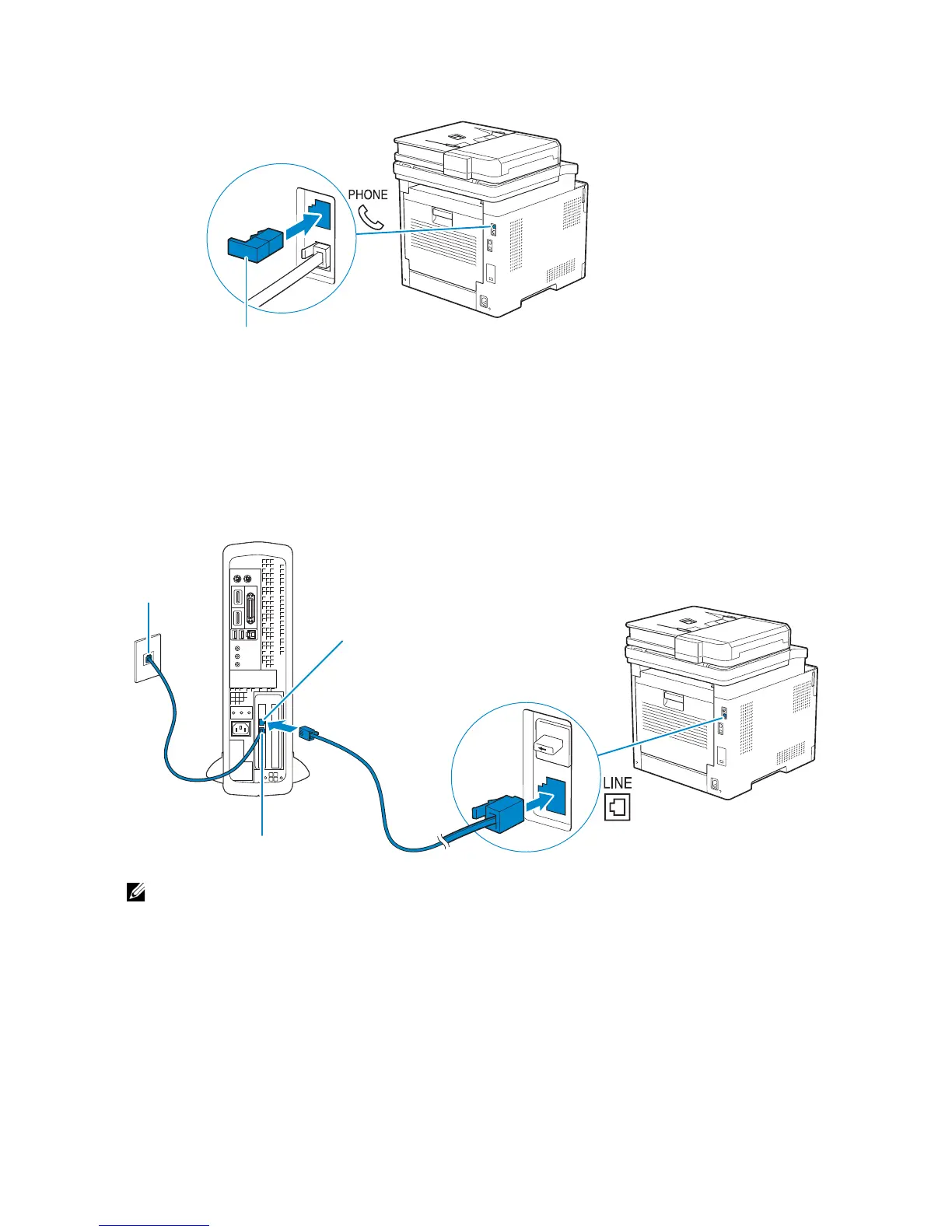
2 Insert the "Yellow" terminator into the phone connector.
Connecting the Printer to a Modem
You can connect the printer to a computer with a modem on the same telephone line as
the printer.
Make sure that the modem is connected to an active wall jack connector, and then
connect a telephone cable into the phone connector on the modem. Connect the other
end of the cord into the wall jack connector on the rear of the printer.
• When using the fax function of the printer, turn off the fax-receive feature of the computer
modem.
• Do not use the computer modem if the printer is sending or receiving a fax.
• To fax via the computer modem, follow the instructions provided with your computer modem and
fax program.
Connecting a Telephone or Answering Machine
If you share a telephone line with voice calls and fax, you can connect a telephone or an
answering machine to the printer to take the voice calls.
1 Make sure that a telephone line is connected to the printer.



 To Next Page