Troubleshooting |
355
Clearing Paper Jams From the DADF
When a document gets jammed inside the DADF, remove the jammed documents with
the following procedures.
• To prevent document jams, use the document glass for thick, thin, or mixed documents.
• To resolve the error displayed on the touch panel, you must clear all print media from the print
media path.
Clearing Documents From the Document Feed Area and Document Exit
Area
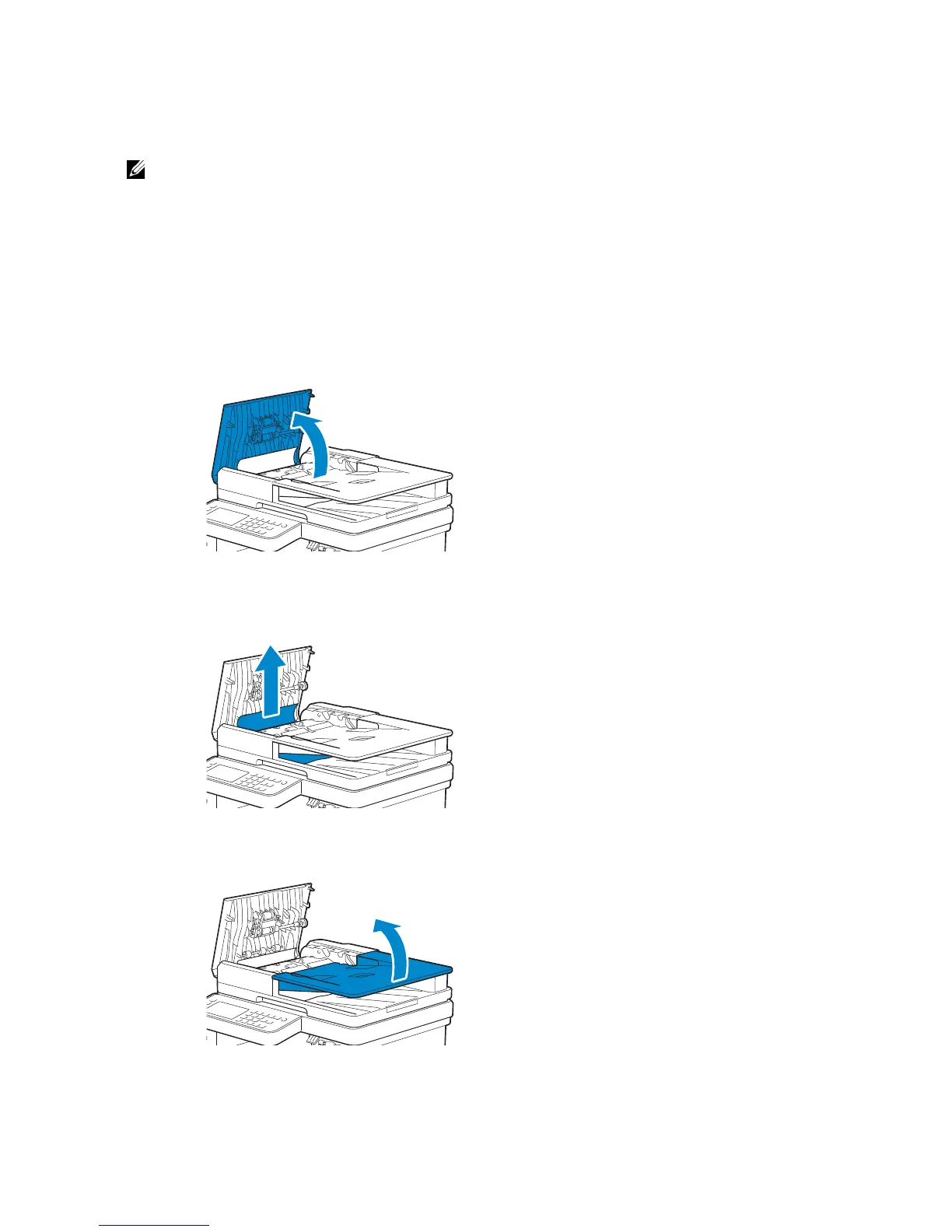
1 Remove the remaining documents from the DADF.
2 Open the DADF cover.
3 Remove any jammed documents from inside the DADF cover by gently pulling the
document straight up.
4 Lift the document feeder tray.



 To Next Page