356
|Troubleshooting
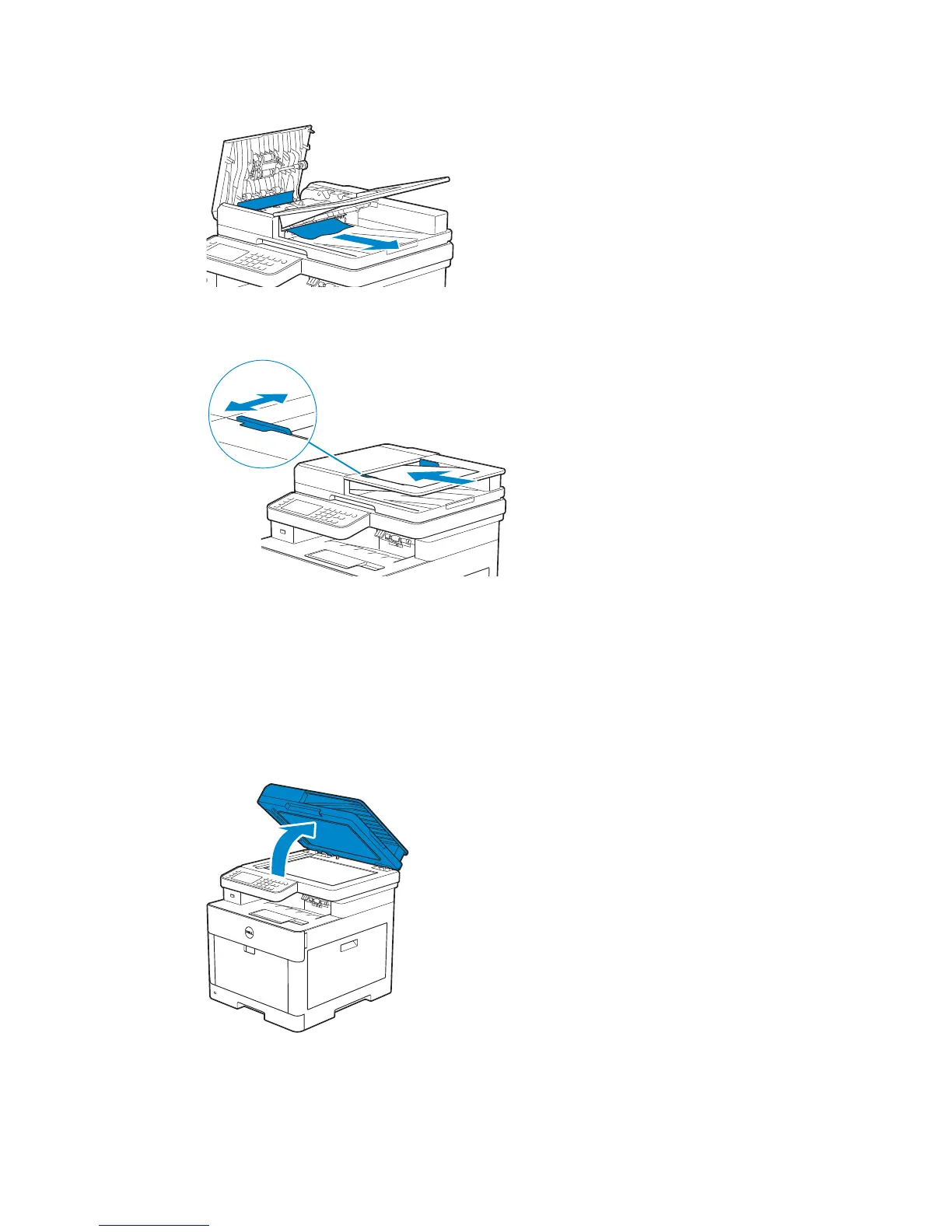
5 Remove any jammed documents from the document output tray.
6 Close the DADF cover, and then load the documents back into the DADF.
7 Tap Start.
Clearing Documents From Inside the DADF Chute Cover
If you cannot remove the jammed document from the document output tray or cannot
find any jammed documents, open the DADF chute cover and remove the jammed
documents from there.
1 Open the document cover.



 To Next Page