Tro ub le sh oot in g |
357
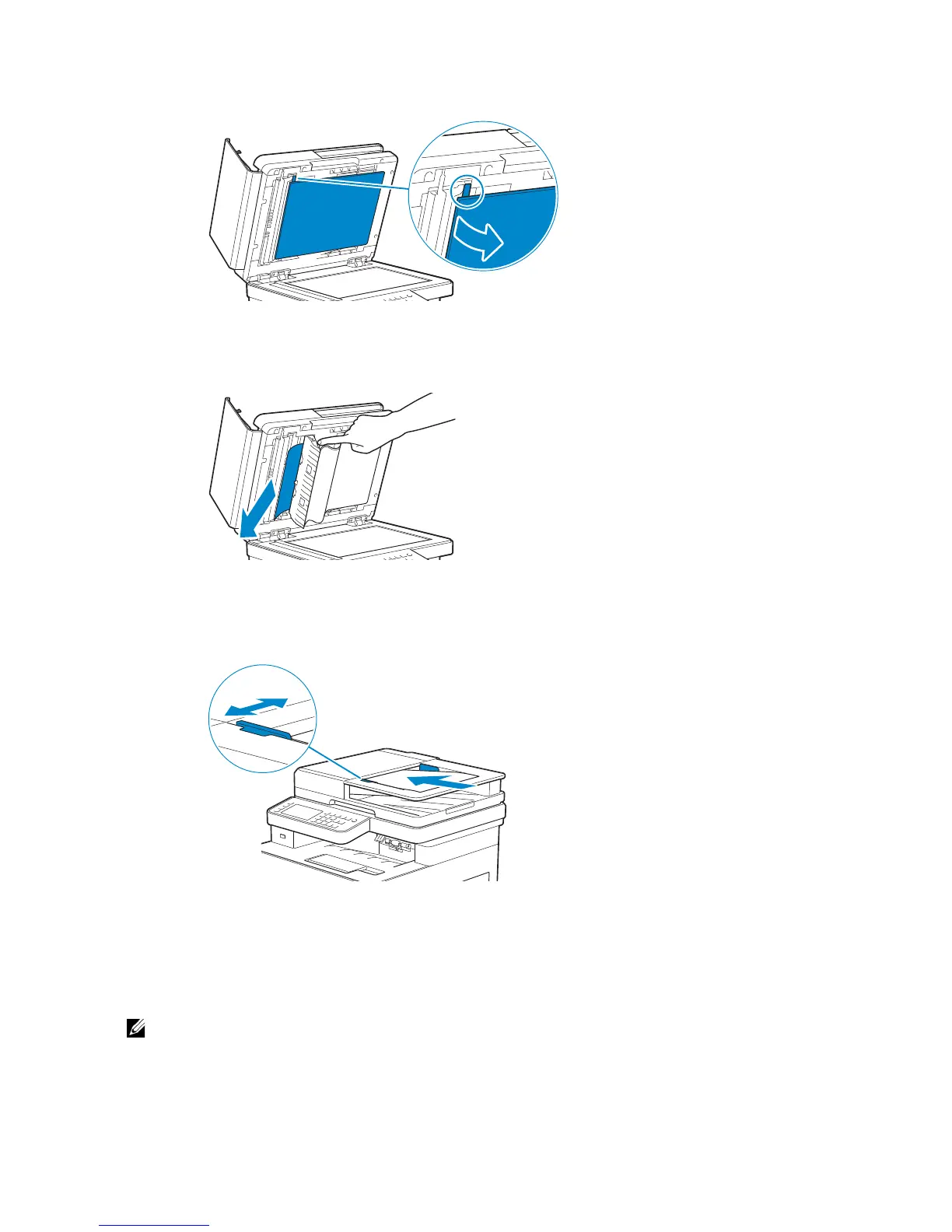
2 Pull the tab to open the DADF chute cover and hold it open.
3 Remove the document from inside the DADF chute cover by carefully pulling it to
the left.
4 Gently close the DADF chute cover.
5 Close the document cover, and then load the documents back into the DADF.
6 Tap Start.
Clearing Paper Jams From the Multipurpose Feeder (MPF) and
Tray1



 To Next Page