EasyManua.ls Logo

Dell H625cdw - Page 336

Dell H625cdw
399 pages
Print Icon
To Next Page IconTo Next Page
To Previous Page IconTo Previous Page
Loading...
336
| Maintaining Your Printer
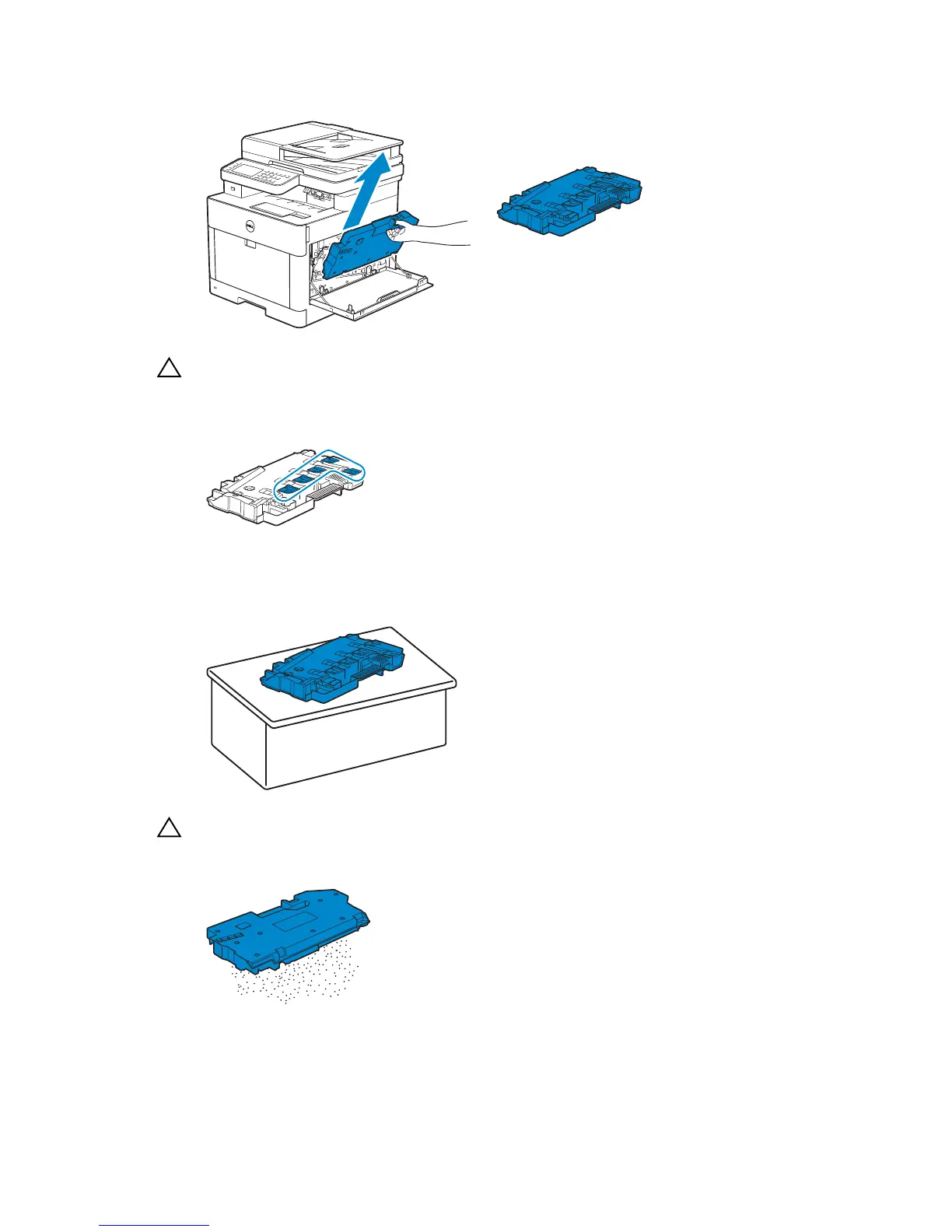
3 Gently pull the waste toner box upwards.
CAUTION:
Take care not to drop the waste toner box while you are removing it.
After removing the waste toner box, do not touch the parts shown in the illustration. Your
hands may get dirty or stained with toner.
4 Place the waste toner box on a level surface.
Always keep the side that was attached to the printer facing up.

CAUTION:
Never let the side that was attached to the printer face down. This may cause the toner to
spill out.

Table of Contents

Other manuals for Dell H625cdw

Related product manuals