EasyManua.ls Logo

Dell Latitude E6420 - SIM Card Service Procedures; Removing the SIM Card

Dell Latitude E6420
145 pages
Print Icon
To Next Page IconTo Next Page
To Previous Page IconTo Previous Page
Loading...
Subscriber Identity Module (SIM)
Card 7
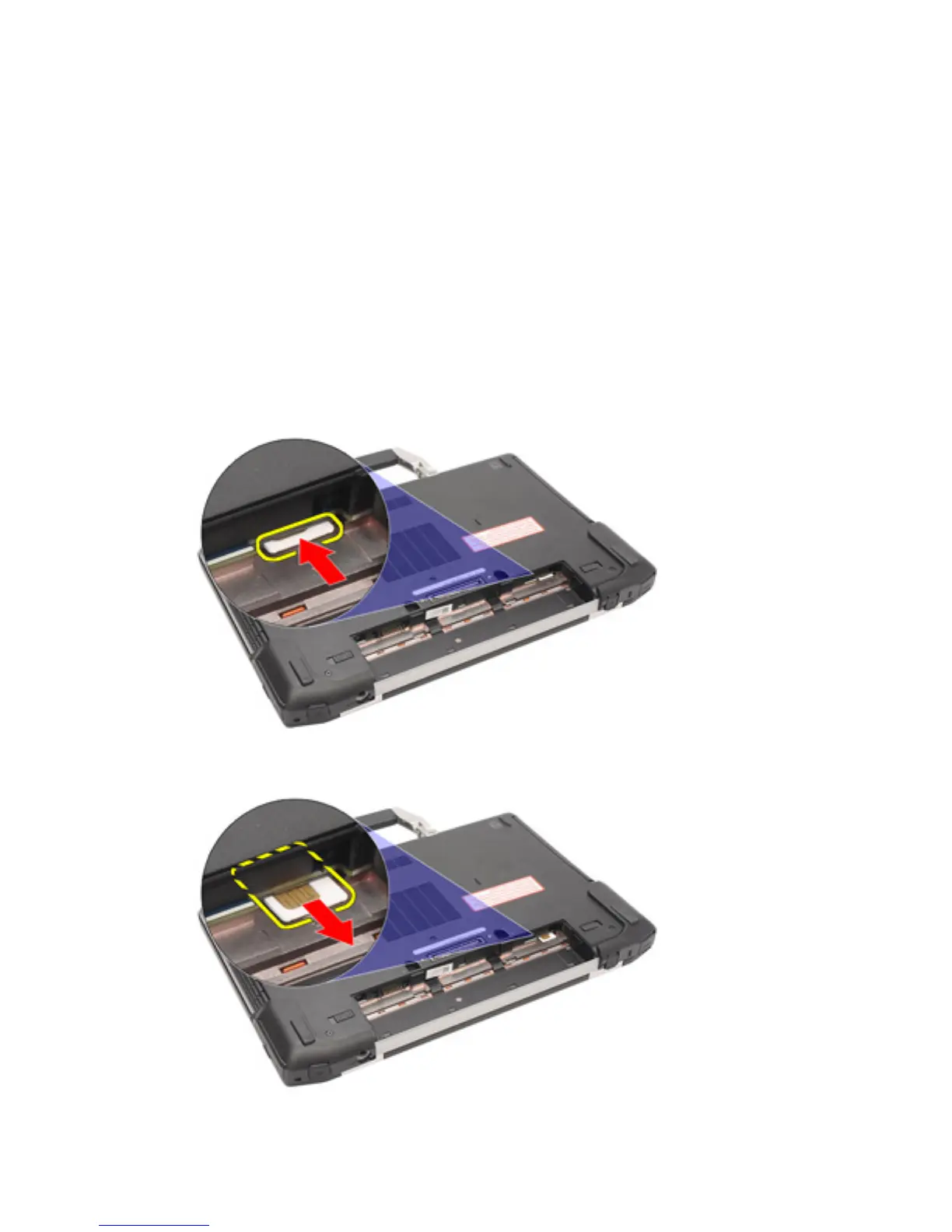
Removing the Subscriber Identity Module (SIM) Card
1. Follow the procedures in
Before Working On Your Computer
.
2. Remove the
Battery
.
3. Insert the SIM card into the slot.
4. Remove the SIM card from the system.
23


Table of Contents

Other manuals for Dell Latitude E6420

Related product manuals