Smart Card Reader 22
Removing the Smart Card
1. Follow the procedures in
Before Working On Your Computer
.
2. Remove the
ATG Handle
(only for E6420 ATG systems).
3. Remove the
ATG Port Cover
(only for E6420 ATG systems).
4. Remove the
Battery
.
5. Remove the
SD Card
.
6. Remove the
Base Cover
.
7. Remove the
Hard Drive
.
8. Remove the
Keyboard Trim
.
9. Remove the
Keyboard
.
10. Remove the
Palmrest Assembly
.
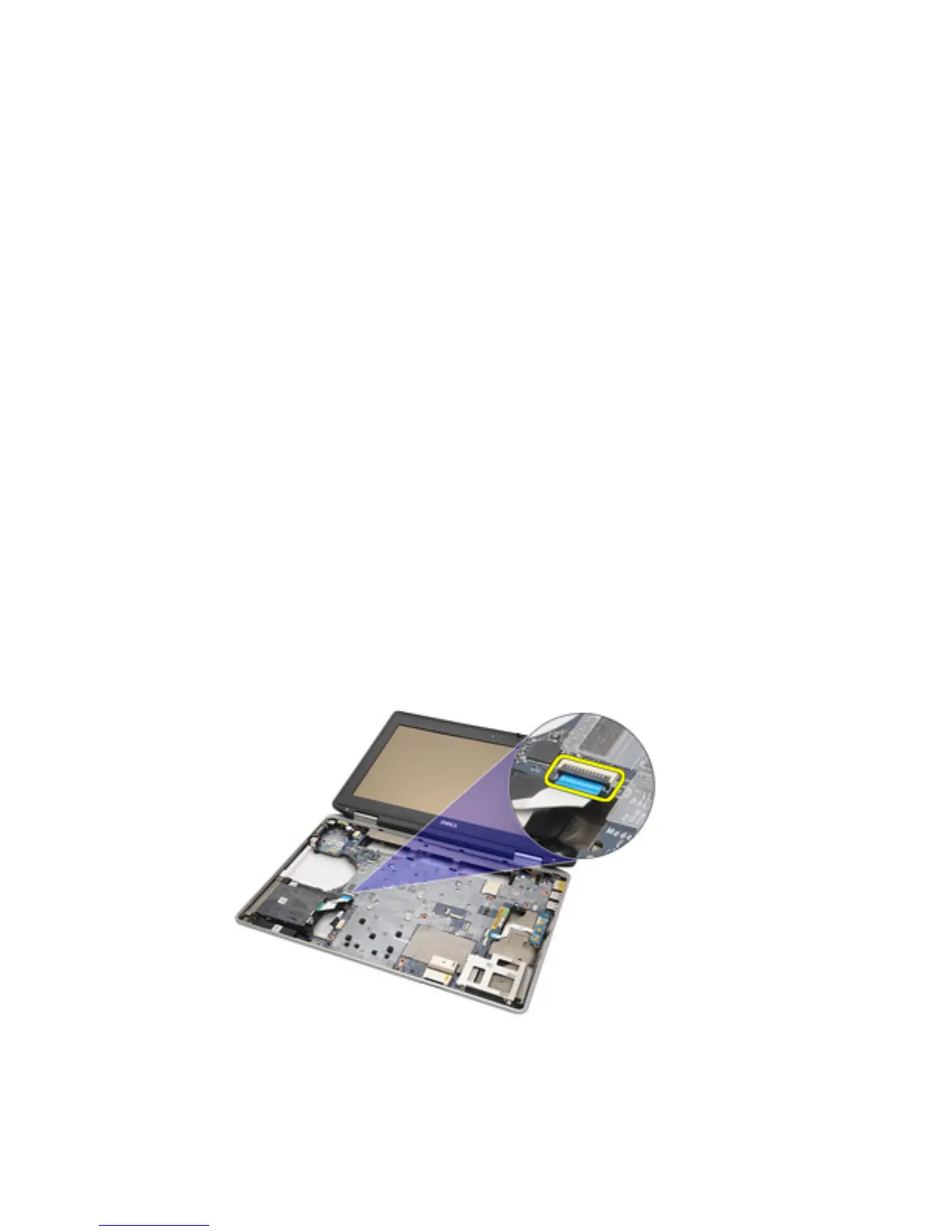
11. Remove the Smart Card Reader cable from the system board.
12. Remove the screws securing the Smart Card Reader to the computer.
69















 To Next Page