ExpressCard Cage 24
Removing the ExpressCard Cage
1. Follow the procedures in
Before Working On Your Computer
.
2. Remove the
ATG Handle
(only for E6420 ATG systems).
3. Remove the
ATG Port Cover
(only for E6420 ATG systems).
4. Remove the
Battery
.
5. Remove the
SD Card
.
6. Remove the
Base Cover
.
7. Remove the
Optical Drive
.
8. Remove the
Hard Drive
.
9. Remove the
Bluetooth Card
10. Remove the
Keyboard Trim
.
11. Remove the
Keyboard
.
12. Remove the
Palmrest Assembly
.
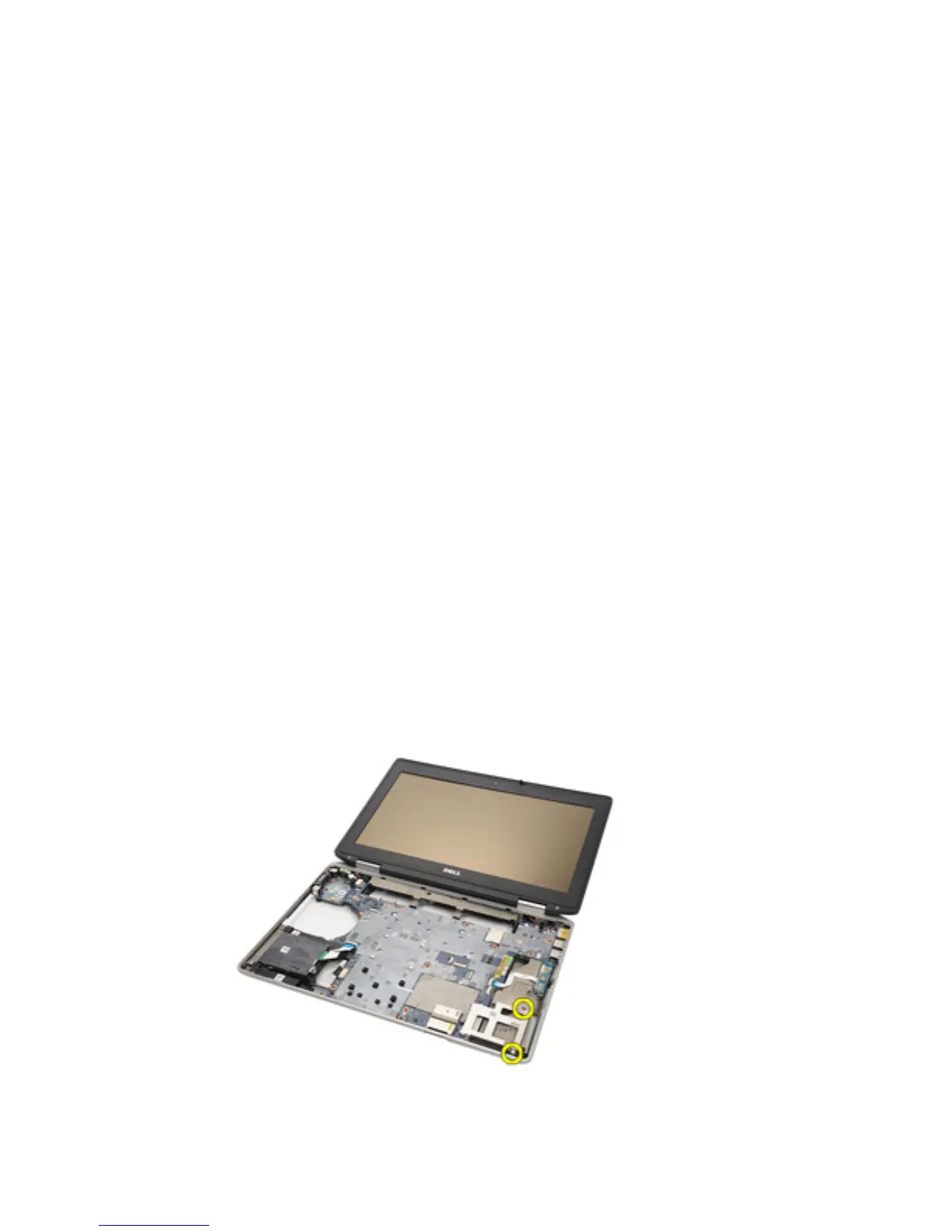
13. Remove the screws securing the ExpressCard cage to the computer.
14. Lift the ExpressCard slot to a 45–degree angle and remove the slot.
77















 To Next Page