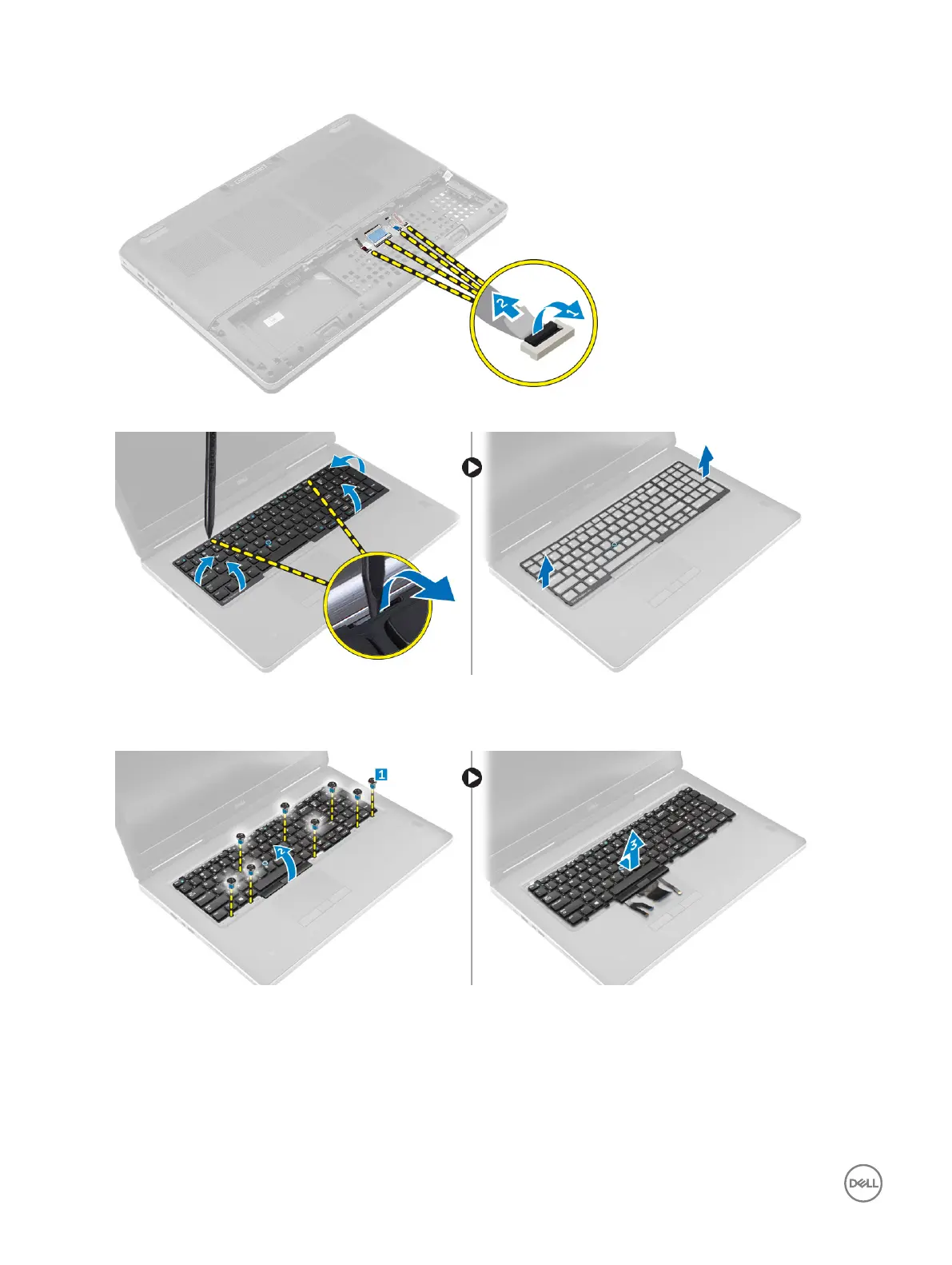
3. Lift the tab and disconnect the keyboard cables from the system board [1, 2].
4. Pry the keyboard trim starting from the bottom and work along the top edge and remove it from the computer.
5. Perform the following steps as shown in the illustration:
a. Remove the screws that secure the keyboard to the computer [1].
b. Lift the front side and slide the keyboard to remove it away from the computer [2, 3].
Installing the keyboard
1. Press and align the keyboard to its compartment.
2. Tighten the screws to secure the keyboard to the computer.
3. Slide the keyboard trim from the front and align it to its position on the computer. Ensure that the keyboard trim clicks into its
place
14



 To Next Page