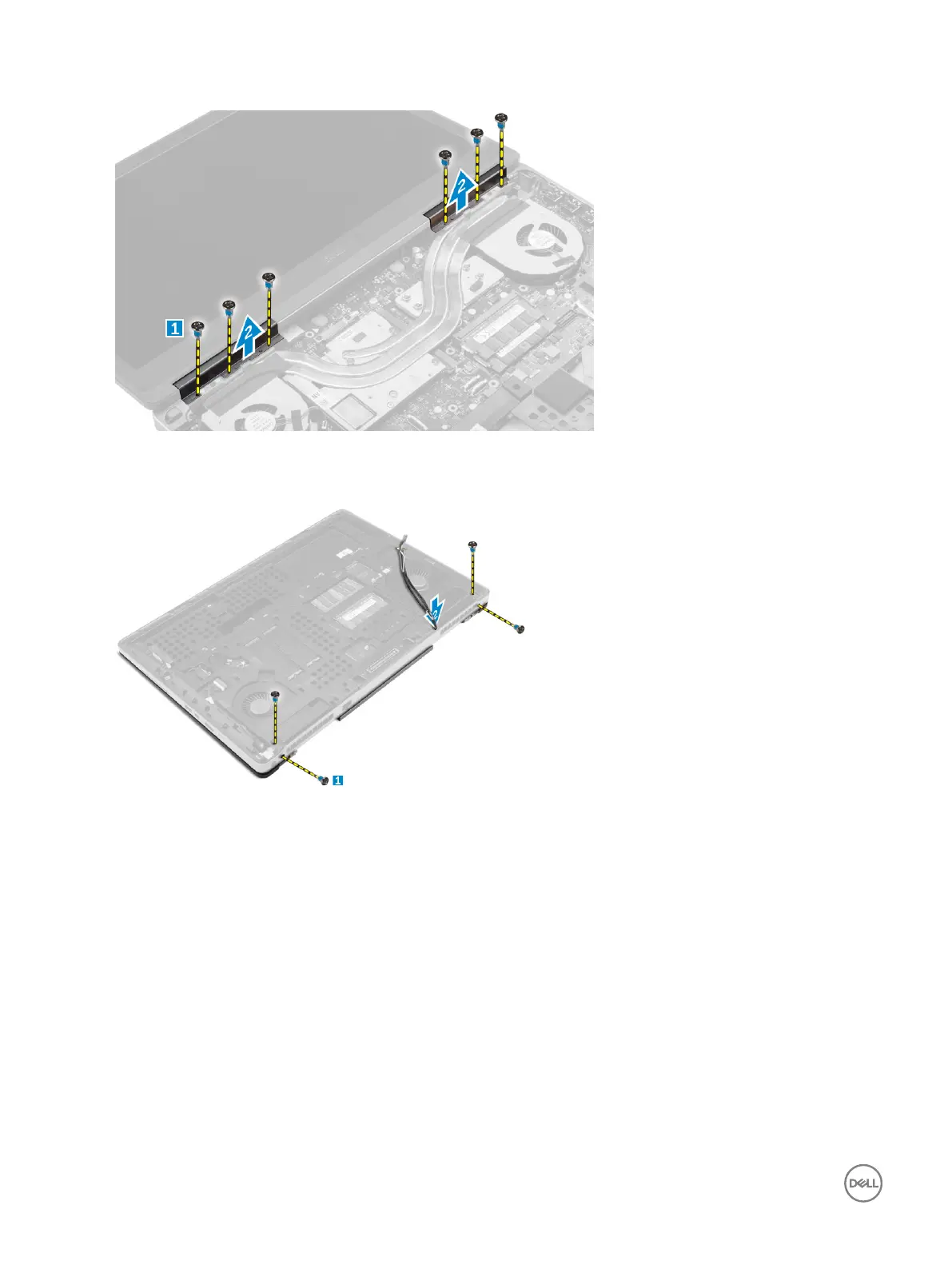
b. Remove the display hinge cap from the computer [2].
4. Perform the following steps as shown in the illustration:
a. Flip the computer and remove the cosmetic screws from the bottom and back of the computer [1].
b. Pull up the antenna cables through the routing hole [2].
5. Perform the following as shown in the illustration:
a. Remove the screws that secure the eDP cable bracket [1].
b. Remove the eDP cable bracket [2].
c. Peel o the tape on the heat pipe and disconnect the eDP cable from the system board [3].
d. Remove the screws that secure the display assembly to the computer and remove it from the computer [4] .
28



 To Next Page