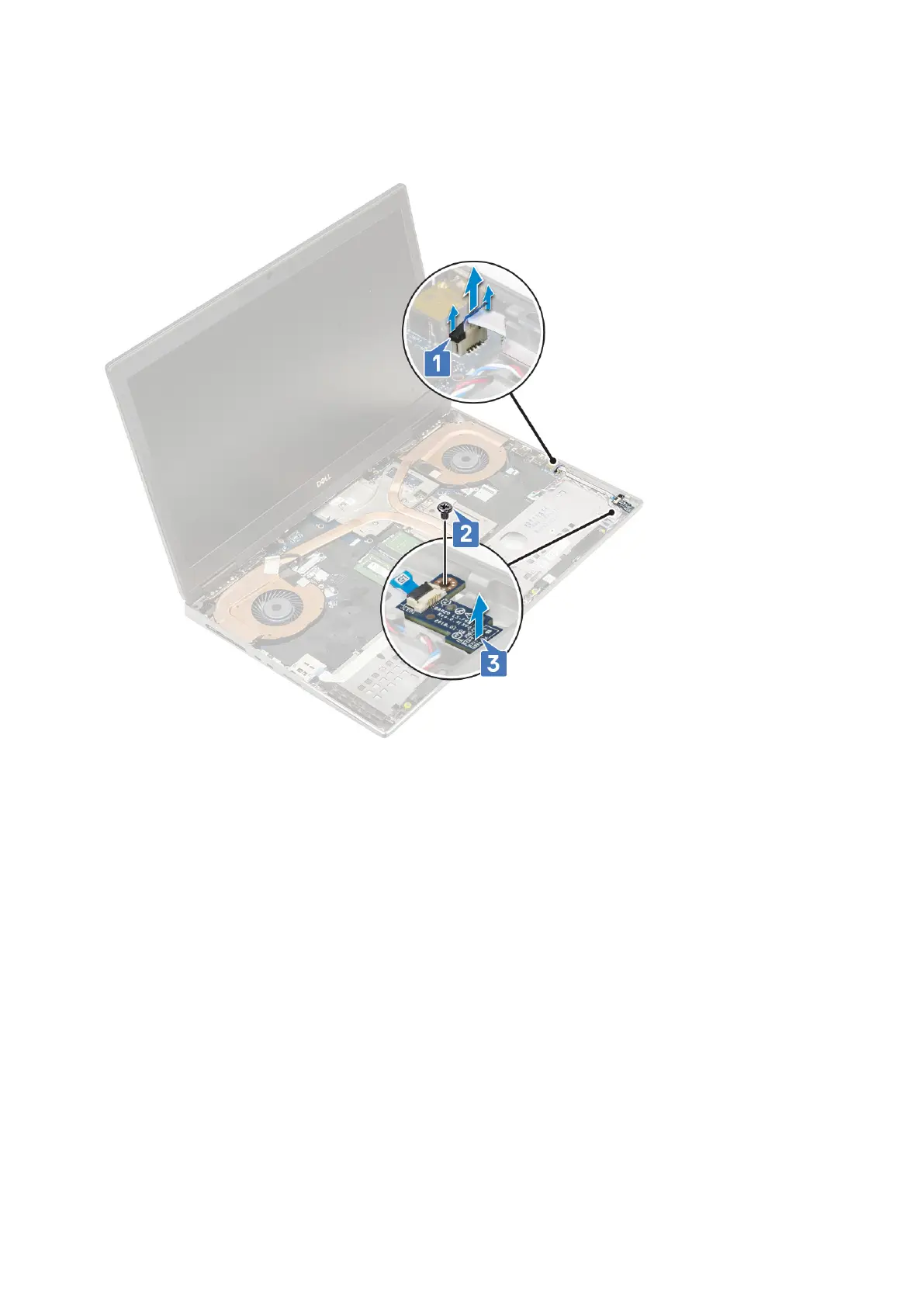
a. Lift the tab and disconnect the LED-board cable from the system board [1].
b. Peel the LED-board cable from the system.
c. Remove the single (M2.0x3.0) screw that secures the LED board to the system [2].
d. Remove the LED board from the system [3].
Installing the LED board
1. To install the LED board:
a. Align the LED board to its original position on the system [1].
b. Replace the single (M2.0x3.0) screw to secure the LED board to the system [2].
c. Affix the LED-board cable.
d. Connect the LED-board cable to the connector in the system board [3].
Removing and installing components
69



 To Next Page