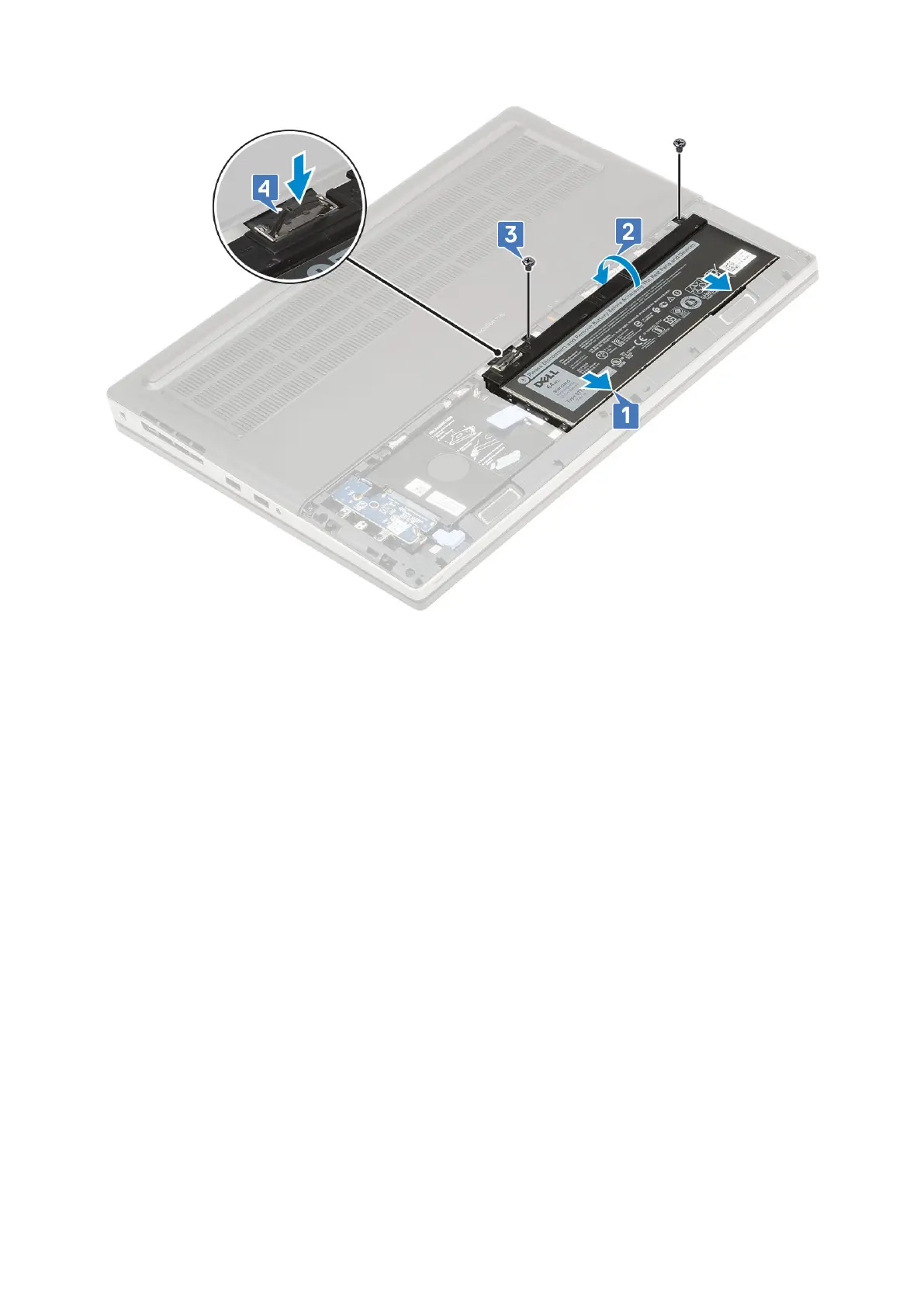
3. Install the:
a. battery cover
b. SD card
4. Follow the procedure in After working inside your computer.
Hard drive
Removing the hard drive assembly
1. Follow the procedure in Before working inside your computer.
2. Remove the:
a. SD card
b. battery cover
3. To remove hard drive assembly:
a. Slide the hard drive release latch into the unlock position [1].
b. Remove the 4 (M2.5x3.0) screws that secure the hard drive assembly to the system [2].
c. Flip up the tab at the end of the hard drive assembly [3].
d. Lift the hard drive assembly from the system [4].
Removing and installing components
23



 To Next Page