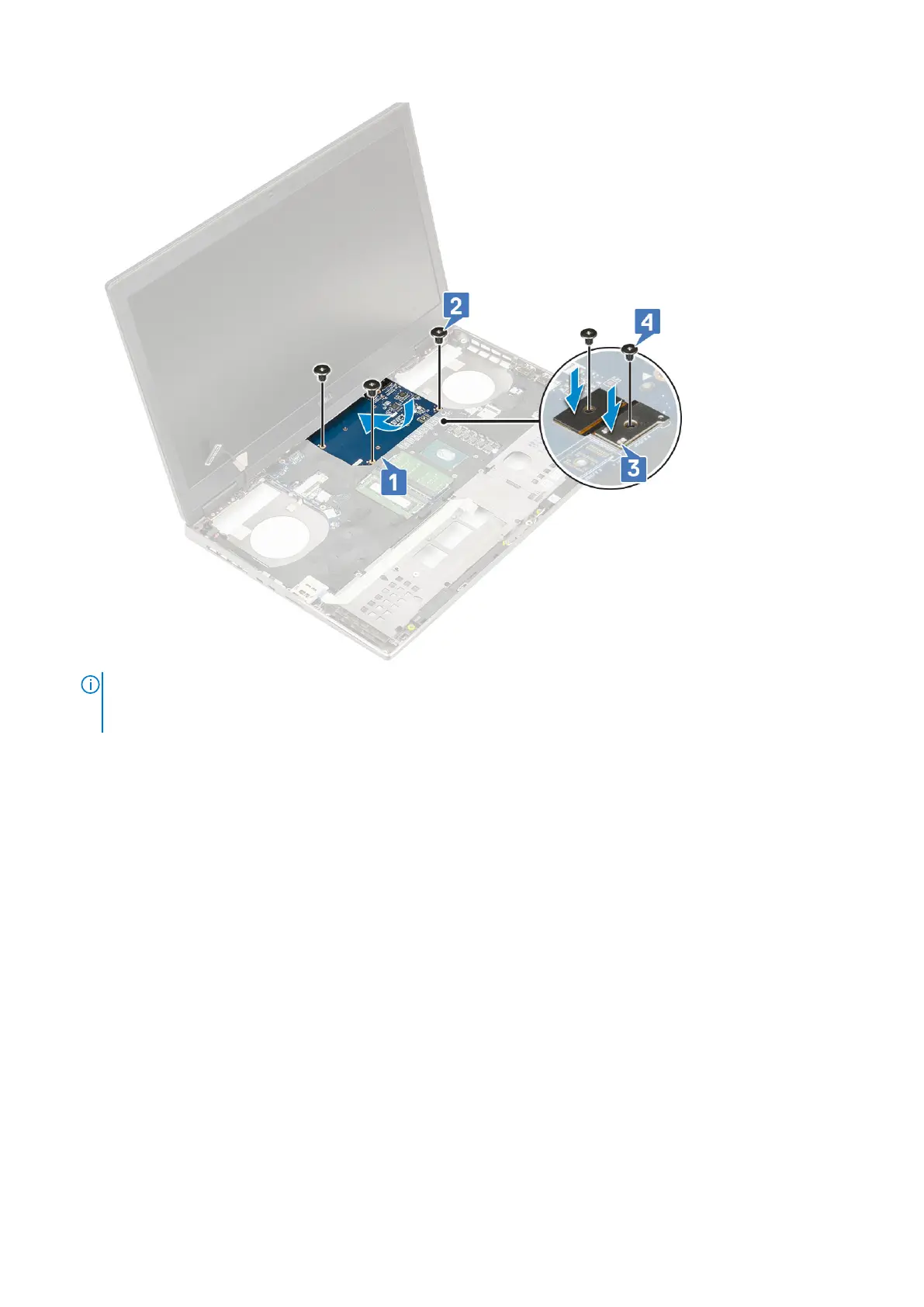
2.
NOTE:
The above procedures are for UMA graphics card. Systems shipped with UMA GPU card do not have GPU
power cable. However, for discrete models shipped with either a 128 MB or 256 MB VRAM GPU card, you need to
connect the GPU power cable after installing the GPU card.
Install the:
a. heat sink assembly
b. palmrest
c. base cover
d. hard drive
e. keyboard
f. battery
g. battery cover
h. SD card
3. Follow the procedure in After working inside your computer.
Removing the discrete graphics card
1. Follow the procedure in Before working inside your computer.
2. Remove the:
a. SD card
b. battery cover
c. battery
d. keyboard
e. hard drive
f. base cover
g. palmrest
Removing and installing components
77



 To Next Page