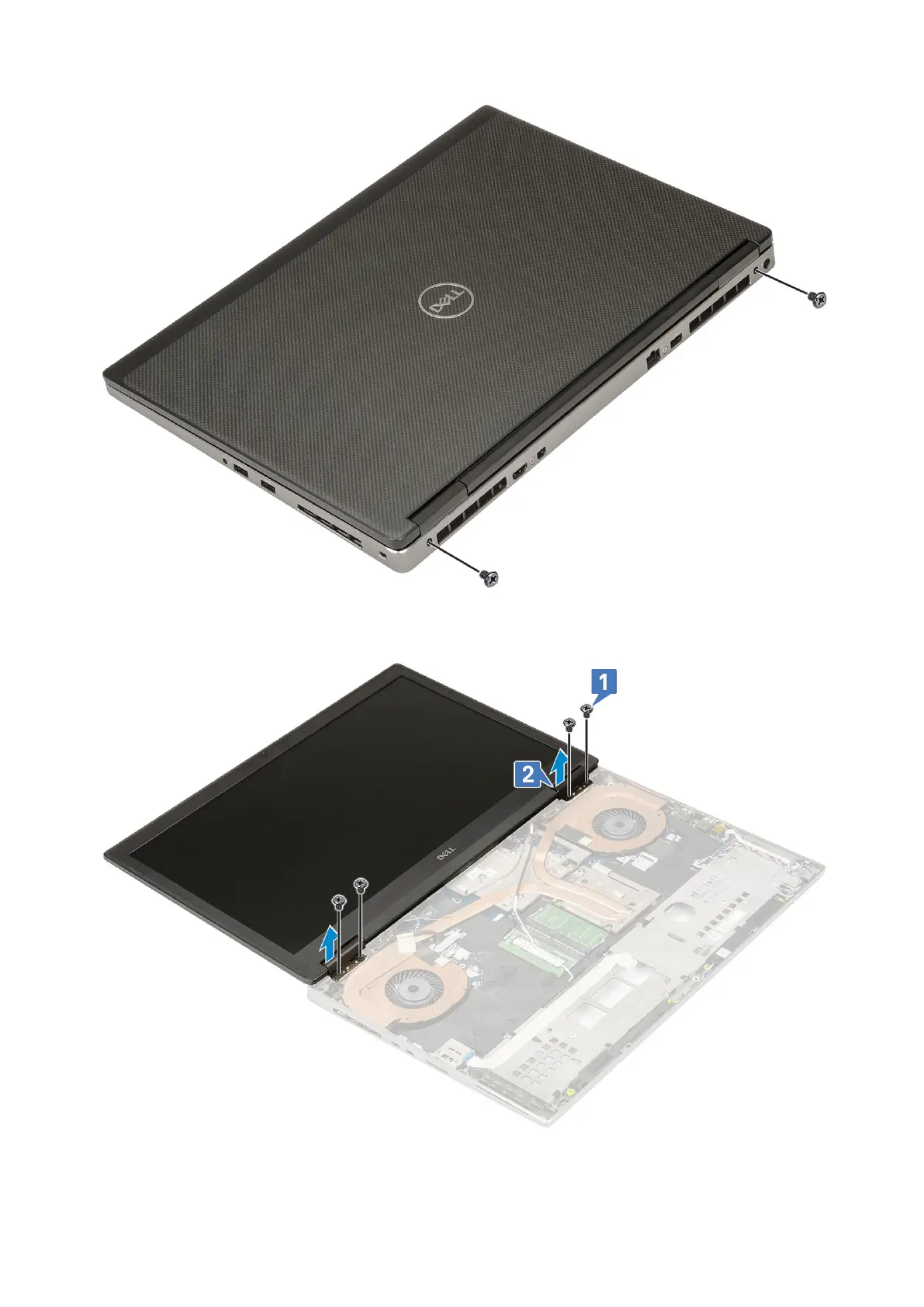
d. Open the display assembly to a 180-degree angle.
e. Remove the 4 (M2.5x4.0) screws that secures the display hinge caps to the system [1].
f. Remove the display hinge caps from the system [2].
g. Remove the single (M2.0x3.0) screw that secures the eDP cable bracket to the system board [1].
h. Remove the eDP cable bracket [2].
86
Removing and installing components



 To Next Page